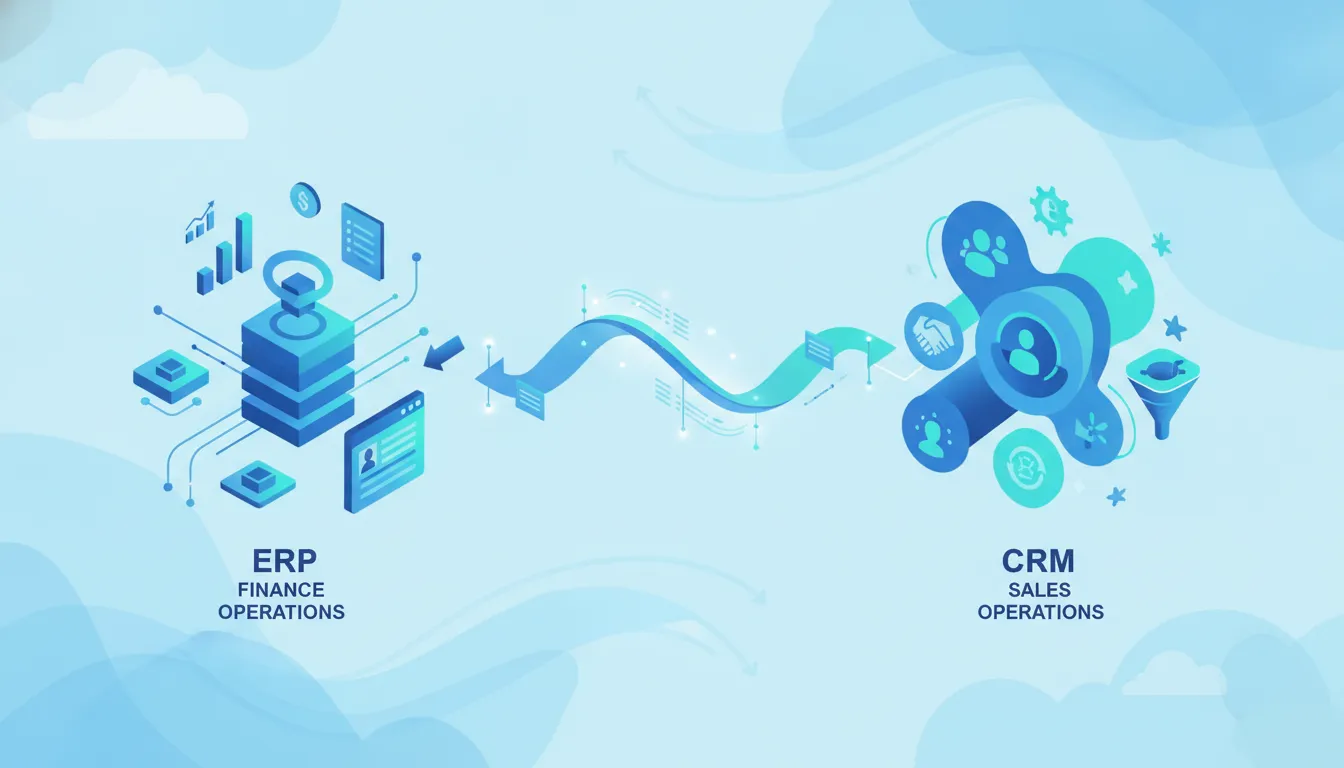
Manual data entry between your sales team and finance team kills output and slows growth. It makes it hard to see how well the firm is doing in real time. You need tools that talk to each other to keep the work moving.
The ERP vs CRM decision depends on whether your most urgent constraint sits in core operations or customer-facing growth. Enterprise Resource Planning (ERP) connects finance, inventory, procurement, human resources, and other operational functions in a shared system of record. Customer Relationship Management (CRM) organizes prospect and customer interactions across sales, marketing, and service. For many mid-market organizations, the strongest architecture uses both: CRM drives opportunities and relationships, while ERP fulfills orders, records financial outcomes, and supports operational control.
Schedule a free consultation to map the right ERP, CRM, and integration strategy for your business.
Learning how these two systems differ is the best way to help your business grow. We will look at how each tool works and why picking the right one is key to your success. We start with ERP vs CRM: the practical difference.
ERP vs CRM: the practical difference
Every business needs the right tools to grow. Two of the most common types are ERP and CRM. While they both store data, they help your team in different ways. ERP stands for Enterprise Resource Planning. It is a unified system that connects core business operations like finance, human resources, and the supply chain. ERP systems help you manage the back office where you control costs and manage inventory.
CRM stands for Customer Relationship Management. It focuses on the front office. A CRM system helps you track sales leads, manage customer conversations, and coordinate marketing programs. Companies use tools like Salesforce to handle the customer lifecycle. The main goal of a CRM is to help you find and keep clients to drive more revenue.
What is an ERP system?
An ERP system acts as the central brain for your operations. It uses a single database to share facts across many departments in real time. For example, when a sale happens, the system can update your ledger and your inventory at the same time. This makes it easier to see how your business is doing as a whole. Many firms use NetSuite ERP to get a clear view of their finances and stock levels.
These systems are built to handle complex tasks. They track how much you spend on parts, who you owe money to, and how much payroll you need to pay. Since everyone sees the same data, there are fewer errors. It helps teams work together without having to send extra emails or spreadsheets.
What is a CRM system?
A CRM system is all about the people you sell to. It holds a history of every conversation, email, and meeting you have with a prospect. This helps your sales team know what a lead needs before they even pick up the phone. It makes the sales process smoother and helps you close deals faster.
Support teams also use these tools to help customers after a sale. They can see what the person bought and what problems they had in the past. If you are connecting Salesforce CRM with NetSuite ERP, your sales team can also see if a client has unpaid bills or new orders. This full view helps you give better service and build trust.
Key differences in business roles
The biggest difference is where the work happens. ERP handles the back office, while CRM handles the front office. ERP systems focus on saving money by making tasks faster and cutting waste. They support teams responsible for accounting, fulfillment, procurement, inventory, and workforce operations. They help you stay organized so you can grow without adding more manual work.
CRM systems focus on making money by boosting sales and keeping clients happy. They are for the people who talk to leads and solve user problems. While they have different goals, you need both to run a modern firm. Most mid-market businesses find that a digital transformation partner can help them pick the best tools for their specific needs.
How ERP and CRM compare at a glance
Enterprise Resource Planning (ERP) and Customer Relationship Management (CRM) are key tools for growth. They help firms track work and talk to clients. While they look alike, they serve very distinct roles. Most firms find that they need both to stay ahead in the market.
Core business tasks
An ERP system handles the back-office side of a firm. It manages money, staff, and the supply chain. This software connects all parts of a business in one central database. It makes it easy for teams to share facts and see how the company is doing.
CRM tools focus on the front-office tasks. They track sales leads and help with client support. These systems manage the full sales cycle from start to finish. This helps teams find more leads and keep current clients happy for a long time.
| Feature | ERP Systems | CRM Systems |
|---|---|---|
| Main Focus | Internal tasks and money | Client sales and support |
| Core Users | Finance, HR, and stock teams | Sales, marketing, and service |
| Key Data | Pay, stock, and ledger facts | Lead lists and deal history |
| Workflows | Buying and bill paying | Lead tracking and help tickets |
| Main Goal | Cut costs and work fast | Make sales and keep clients |
| Benefit | Clear view of business health | Better links with customers |
Systems for each team
The main users for each tool differ by their daily goals. Finance teams use ERP to complete the monthly financial close. Inventory and fulfillment teams use it to track stock levels and ship orders on time. It helps leaders manage change and costs during big projects.
Sales and marketing teams live in the CRM every day. It shows them which leads are hot and which need more time. Support teams use it to see the history of a client. This helps them solve problems fast. When these two systems work as one, a firm can move with more speed and less error.
Shared data and outcomes
Both tools aim to help a firm make more money. ERP does this by cutting down on manual work and errors. It helps a firm get the most out of every dollar it spends. CRM does this by finding new paths to grow and making each client worth more over time.
Linking these tools creates a full view of the business. You can see how a sale affects stock levels and cash flow right away. This link helps firms plan for the future with data they can trust. Using a NetSuite ERP along with a top CRM is a common path for mid-market firms today.
When does a business need ERP first?
Choosing between erp vs crm is a common hurdle for firms on the path to growth. While both tools help you scale, they solve other problems. If your biggest pains are in the back office, an ERP should be your first step. This system acts as a hub for your whole firm. It links your finance, warehouse, and supply chain teams into one software tool. This move helps you stop using messy spreadsheets and start using real data.
Finance and cost issues
Many firms hit a wall when basic accounting and operational systems can no longer keep up. You might find that your team spends hours each day on hand data entry. This often leads to errors that hurt your bottom line. An ERP system manages core operations like billing and payroll to maintain accurate financial records. It handles tasks that used to take days.
Large firms also need better ways to track costs. Without a central tool, you might not know where your money goes. An ERP tracks every cent from the time you buy a part to the time you ship a product. This gives your finance team the power to plan for the future. You can see trends before they become problems. This level of control is vital for any firm that wants to stay in the black.
Stock and supply chain tasks
If you sell physical products, inventory availability directly affects fulfillment performance. A CRM handles your sales pipeline, but it lacks the tools to manage a warehouse. You need to know exactly what you have on hand at all times. When you lack this view, you might run out of items or buy too many. An ERP helps by linking your sales orders to your stock levels.
You can use tools like NetSuite ERP to track items across many sites in real time. It can even alert you when it is time to buy more parts. This keeps your supply chain moving without any stalls. By fixing these back-office tasks first, you build a strong base for your sales team to grow. You can then focus on finding new clients with a CRM.
Data silos and report gaps
As you add more teams, data often gets stuck in silos. Your sales team might see one set of facts, while your shipping team sees another. This leads to mixed messages and unhappy clients. ERP tools fix this by creating a single source of truth for the whole firm. This means every team looks at the same data in real time. When someone updates a file in one office, the change shows up everywhere at once.
Better data leads to better choices. Leaders need clear reports to run a firm well. If you have to wait days for a report, you are already behind. An ERP can build custom reports with the click of a button. You can see how each part of your firm is doing at any time. This lets you spot wins and fix losses fast. By choosing an ERP first, you ensure that every part of your firm works in sync as you scale.
When does a business need CRM first?
Picking the best path for your growth is a key step. When you look at erp vs crm options, the choice often depends on your biggest pain points. If your team struggles to find new leads or close deals, a CRM is likely the first tool you need. This tool works on the front-office side of your work where you manage prospect and customer relationships.
Managing sales and lead growth
A CRM helps your team handle every part of the sales cycle. You can track a lead from the first call to the final sign-off. This keeps your data in one place so nothing falls through the cracks. It also helps your team stay on task and move faster through the day.
When sales teams grow, they need to share facts with ease. A CRM stops the need for sheets that can get lost or have old data. Every rep can see what the other has done, which stops double work. This makes your team more close as they chase new goals. CRM tools like Salesforce services help you manage these steps with ease.
Gaining better pipeline visibility
You need to see your sales pipeline to plan for the future. A CRM shows you where each deal stands at any time. This view lets you guess your future sales with more trust. You can spot gaps in your plan before they become real problems for your cash flow.
A clear pipeline also helps with the handoff to your service team. Once a deal is won, the next team needs to know what was promised. A CRM stores all those notes so you do not have to ask the client twice. This saves time and makes you look more skilled to your new buyers.
Improving customer service consistency
Good service keeps people coming back to your brand. A CRM handles the full life of your client work after the sale is done. It gives your team a shared view of every conversation, email, and service case. This means your clients get the same great help no matter who they talk to.
Steady work builds trust with the people you serve. When your team has all the facts in one spot, they can solve problems much faster. This front-office tool is built for this exact kind of work. Unified systems help teams connect different parts of a business to work as one.
Data silos can hurt how you help your customers. If sales data stays in one place and service data stays in another, you lose the big picture. Connecting these parts of your business helps you see the full story of every client. Digital transformation partners like Streams Solutions can help you connect Salesforce CRM with NetSuite ERP to solve this.

How do ERP and CRM systems connect?
ERP and CRM systems do two main jobs for your firm. When you look at erp vs crm, you see two tools that need to work as one. ERP tools handle your back office work like money, stock, and staff. CRM tools handle your front office tasks like opportunities and customer conversations. When you link them, you stop data silos from slowing you down. Your teams can see the same facts at the same time. This helps you work fast and avoid big mistakes with your money.
The value of a linked system
A linked system helps your whole firm run like a clock. Your sales team can see if a product is in stock before they promise it to a buyer. Your finance team gets data as soon as a deal closes. This link creates a single system that saves a lot of time. You will not have to type the same names or dates into two places. This makes your work life simple and keeps your data clean.
Most firms use a bridge to link these tools. This bridge is a type of software that sends facts back and forth. It keeps your money data and sales data in sync. You can use it to build an auto path from a quote to a payment. This is often called the quote-to-cash process. It saves your team from doing slow tasks by hand and helps you get paid faster.
Why data flow matters
When your tools talk to each other, you get a full view of your business. You can see how much each lead costs and how much profit they bring in. This helps you make smart choices for the future of your firm. You can also give better service to your fans because you know their past. You can see every email, call, and bill in one place. This builds trust with your clients and helps your team stay on top of their work.
Steps to link your tools
Linking your tools takes a few clear moves. You must plan well to make sure the data stays clean as it moves. Streams Solutions has deep skill in tools like NetSuite, Dynamics 365, and Salesforce. We use our own fast tools to help with this setup. These tools make linking Salesforce CRM with NetSuite ERP faster. Here is how you can start the link for your firm.
- Pick your data. Find all the facts that both your sales and money teams need to share.
- Find a bridge. Choose a tool that can talk to both your ERP and CRM systems at once.
- Match the names. Make sure the labels in one tool fit the labels in the other tool.
- Set the sync. Choose how often the tools should share new facts with each other.
- Check the work. Run a test to see if a new sale in the CRM shows up in the ERP right away.
Once the link is live, you can see your whole business in one view. You can track your costs and your wins in real time. This helps you plan for next year with facts, not just guesses. You can grow your firm without adding more stress to your team. This link is the key to a modern business that wins in a tough market.
How to choose ERP, CRM, or both
Picking between an ERP and a CRM depends on your main goals. If you need to track leads and close more deals, start with a CRM. If you need to manage money, stock, and shipping, an ERP is the better choice. Many mid-market firms find they need both to keep data moving from the front office to the back office.
Audit your current workflows
Start by looking at where your team spends the most time. Sales teams often use a CRM to manage contacts and track the sales cycle. This keeps customer data in one place so teams can serve clients better. On the other hand, ERP software acts as a unified system to connect core tasks like finance and supply chain operations. If your data lives in too many spreadsheets, it may be time for a change.
Think about your growth plans for the next three years. A firm that sells services may only need a CRM at first. But a company that sells physical products will soon need a way to track inventory. You should choose the tool that fixes your biggest bottleneck today. Often, the choice is not erp vs crm, but which one to set up first in your roadmap.
Plan for data integration
Your business runs best when your teams share the same facts. An ERP handles back-office work like bills and taxes. A CRM handles front-office work like sales calls. When you connect these two, you can automate your order-to-cash process. This means a sale in your CRM can trigger a bill in your ERP without any manual data entry.
Connecting these tools can be hard without the right plan. You should look for systems that talk to each other easily. For example, connecting Salesforce CRM with NetSuite ERP helps you see all your customer data in one spot. Using a central database helps you see the truth about your business in real time. This helps your leaders make better choices and reduces mistakes.
Find the right partner for your project
The right partner makes a big difference in your success. Setting up a new system can be hard and may change how your team works. You need a digital transformation partner who knows your industry well. Look for a team that uses a clear path, like the StreamsWay method. This keeps the project on track and helps avoid surprises.
A good partner will also offer tools to speed up the work. Streams Solutions uses special tools to help different systems work together faster. This reduces the time it takes to get your system live. You should also check for expertise in specific tools like NetSuite ERP or Microsoft Dynamics 365. Having a partner who understands both finance and sales will help you build a system that lasts.
What happens when ERP and CRM stay disconnected?
Many firms run their front-office and back-office teams in silos. This happens when the tools for sales and finance do not share data. In the erp vs crm debate, some leaders think they only need one or the other. But keeping these systems apart can lead to many risks. When data stays stuck in one team, it creates a gap that slows down the whole firm. This makes it hard to grow and stay ahead of others.
The cost of manual work
One of the biggest issues with separate systems is the need for manual work. When a sales rep wins a deal in the CRM, the finance team must type that same data into the ERP. This double work is slow and leads to many mistakes. Errors in names, sites, or order totals can delay shipping and hurt your brand. It also leads to a loss of work as staff spend hours on basic typing tasks.
An ERP system works by bringing core parts of a firm into one software space. This allows for real-time syncing across teams. Without this link, your staff may spend up to a third of their day just moving data between tools. This waste of time prevents your team from focusing on growth and helping your clients.
Blind spots in reporting and planning
Tools that do not talk also cause major problems for leaders who must make fast choices. If sales data and stock levels live in two different places, you cannot see the full picture of your firm. This lack of a clear view makes it hard to know if you have enough inventory to fulfill new orders. It also makes it tough to track which items bring in the most profit over time.
- Mixed data makes it hard to trust your reports.
- Finance teams cannot see the sales path in real time.
- Stock teams may buy too much or run out of key items.
- Leaders struggle to predict monthly or yearly cash flow.
By connecting Salesforce CRM with NetSuite ERP, you can remove these blind spots. Leaders can see how every sale affects the bottom line in real time. This leads to smarter choices and more steady results for mid-market firms.
Poor client journey and handoffs
When systems stay apart, the client often feels the friction. A client might call to ask about a recent order, but the support team cannot see the status. This is because the data is locked in the ERP. This leads to long wait times and unhappy people. A smooth handoff between sales and service is vital for keeping clients long-term. If your teams do not have the same facts, the client journey will suffer.
Using a NetSuite ERP setup helps your firm provide a fast and clear service. You can automate the path from a signed contract to a sent invoice. This ensures that every team has the data they need to serve the client well. In a fast-moving market, this speed can be your biggest edge.
Get a free consultation before you commit to an ERP, CRM, or integration roadmap.
Frequently Asked Questions
Is Salesforce a CRM or ERP?
Salesforce is mainly a Customer Relationship Management (CRM) system. It helps teams manage sales, client service, and marketing tasks. While it focuses on the front-office side of a business, it does not handle back-office tasks like stock or core accounting by itself. According to Streams Solutions, Salesforce manages client ties and service paths to help firms find and keep buyers well.
Is SAP an ERP or CRM system?
SAP is best known as an Enterprise Resource Planning (ERP) system, but the company also offers CRM tools. The main SAP software helps large firms manage core tasks like finance, human resources, and supply chain. According to Syracuse University, these tools bring core parts of a business into one software place. This allows every team to share facts through a single central database.
What are the 4 pillars of ERP?
The four main pillars of an ERP system are finance, human resources, supply chain management, and operations. These core areas work together to help a business run smoothly from one central place. Finance manages the general ledger and financial close, while HR manages the staff. Supply chain and operations manage inventory movement and production. According to Syracuse University, these parts help firms work faster by giving a better view across every team.
Should a business implement ERP or CRM first?
Most firms choose which tool to start with based on their biggest need. If a company needs to find more leads and grow its sales, it may start with a CRM. If the business struggles to track its money or stock, an ERP may be the best first move. Using proprietary accelerators can help reduce setup time. This helps you get a full view of your business operations much faster.
Ready to bridge the gap between your ERP and CRM systems?
Waiting to link your systems creates data gaps that lead to costly errors and lost sales each day. When teams work in silos, you lose the chance to see your business clearly and act fast on leads. If you start this fix today, you can have a smooth flow of data and better reports in weeks.
Ready to schedule a free consultation? Contact our team to schedule a free consultation. Our team will help your firm grow and reach new goals. We save you money with better data flow and clear reports. We also help your team do less manual work each day. You can start this journey right now.