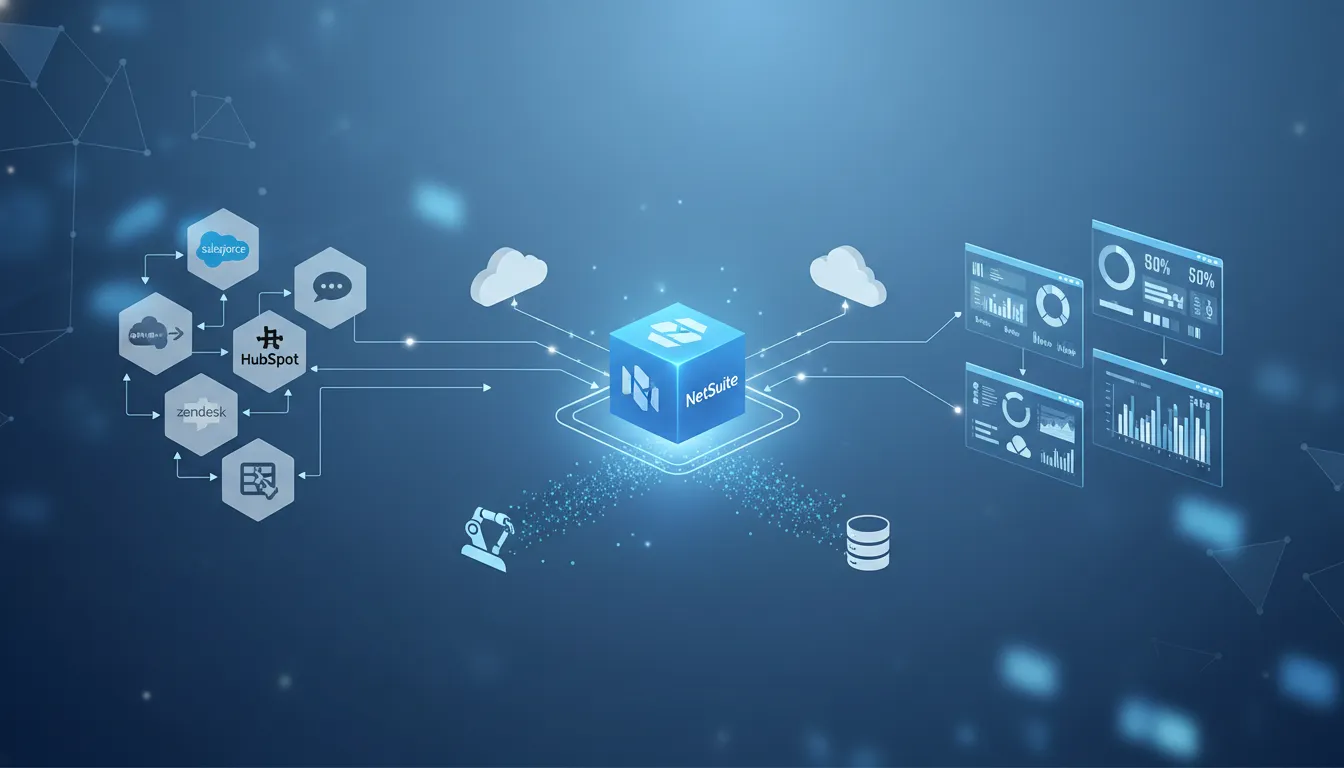
A boomi netsuite integration decision is rarely just a connector decision. It affects how finance, operations, sales, ecommerce, support, and leadership teams trust the data moving through the business. Boomi, Celigo, and Workato can all support integration work around NetSuite, but each platform tends to fit different operating models, governance needs, and automation goals.
Ready to compare integration platforms with an expert? Schedule a Free Consultation with Streams Solutions before you commit budget, timeline, or internal resources.
This guide compares Boomi, Celigo, and Workato through the lens of a NetSuite buyer. It is designed for finance leaders, operations leaders, IT decision makers, and executive teams that need reliable integrations without creating a fragile web of point solutions. The goal is not to crown one universal winner. The goal is to help you choose the integration approach that fits your systems, teams, and business objectives.
Boomi NetSuite integration in the iPaaS decision
Many companies start with a simple question: “Can this platform connect to NetSuite?” That question matters, but it is not enough. A stronger question is: “Can this platform support the way our business actually uses NetSuite, changes NetSuite. And depends on NetSuite data?” That is where the Boomi, Celigo, and Workato comparison becomes more useful.
Boomi is commonly evaluated as a broad iPaaS option for companies with multiple systems, complex data flows, and a need for centralized integration management. Celigo is often evaluated by teams with NetSuite-centric use cases, especially where packaged flows and operational SaaS connectivity are important. Workato is often evaluated by teams that want automation across business applications, not only traditional system integration.
For a growing company, the right answer depends on more than connector availability. You need to understand the NetSuite record model, custom fields, transaction workflows, authentication approach, error handling requirements, data ownership, and long-term support model. A platform can look simple during a demo and still become difficult if the implementation plan does not account for how your finance and operations teams work day to day.
Streams Solutions approaches this decision as an agnostic integration advisor. The firm works across Oracle NetSuite, Microsoft Dynamics 365, Salesforce, analytics, and custom software development. That matters because NetSuite integrations rarely stay inside one application. They often touch CRM, ecommerce, payroll, data warehouses, EDI, support platforms, and reporting tools. A good decision should account for the whole operating environment, not only the first integration flow.
Why this article is different from a Boomi service page
Streams already has dedicated content for expert Boomi consulting services and broader Boomi NetSuite integration capabilities. This article serves a different search intent. It helps buyers compare platform fit before they choose a tool, scope a project, or decide whether they need implementation support.
Boomi vs Celigo vs Workato for NetSuite: quick comparison
The table below gives a practical starting point. It is not a substitute for discovery, but it can help your team identify which platform deserves deeper evaluation.
| Platform | Common fit | Strengths to evaluate | Tradeoffs to consider | NetSuite buyer questions |
|---|---|---|---|---|
| Boomi | Broad iPaaS programs, complex enterprise landscapes, multi-system integration governance. | Strong fit when NetSuite must connect with many internal and external applications, data flows, and operational processes. | Requires thoughtful architecture, ownership, and monitoring to avoid building a hard-to-maintain integration estate. | Who will own flows, exceptions, mappings, and ongoing platform governance? |
| Celigo | NetSuite-centric integration programs and operational SaaS connectivity. | Often attractive for teams that want packaged integration patterns around NetSuite and related business applications. | Fit should be tested against custom processes, nonstandard fields, and cross-platform automation needs. | How much of the required workflow matches packaged patterns, and where will customization be needed? |
| Workato | Automation-heavy teams connecting business processes across multiple SaaS applications. | Useful when integration and workflow automation need to span departments and business users. | Governance, data quality, and role clarity become critical as automations expand beyond IT. | Which automations belong in Workato, which belong in NetSuite, and who approves changes? |
Boomi tends to make sense when the integration program needs structure, scale, and broad connectivity. Celigo may be attractive when NetSuite is the center of the integration program and the company wants a focused operational approach. Workato may be attractive when business process automation is as important as system-to-system data movement.
The important point is that the platform decision should follow the operating model. If finance owns the process and IT owns the platform, governance needs to be explicit. If operations needs real-time visibility, the architecture must define where delays are acceptable and where they are not. If sales, ecommerce, and fulfillment all depend on the same NetSuite data, data mapping and exception management need to be designed before build work begins.
Use the comparison to narrow, not finalize
A comparison table can narrow the field, but a proof of concept or integration assessment should validate the decision. The right evaluation should include representative NetSuite records, custom fields, real failure scenarios, and the reporting your team needs after go-live.
When Boomi is the right fit for NetSuite integration
Boomi is often a strong fit when NetSuite is one part of a larger application ecosystem. If your business needs to connect NetSuite with Salesforce, ecommerce platforms, data warehouses, EDI partners. Payroll systems, or operational applications, Boomi may provide the broad integration foundation your team needs.
Competitor research shows Boomi positions its NetSuite solution around unified data visibility, order-to-cash automation, source-to-pay connectivity, ERP modernization, inventory workflows, and fulfillment workflows. Those are exactly the kinds of processes where integration quality matters. If orders, invoices, inventory, customers, or items move incorrectly, teams lose time reconciling data and customers feel the downstream impact.
Boomi documentation also notes that its NetSuite connector uses the SuiteTalk SOAP-based web services API to move data into and out of a NetSuite account. That detail matters because NetSuite integration is not only about clicking a connector. Implementation teams need to understand NetSuite authentication, record types, field behavior, custom objects, and how transaction data should be updated safely.
Boomi can also be compelling when IT wants a managed integration layer instead of custom scripts scattered across systems. A centralized platform can make it easier to monitor integrations, standardize patterns, and support future change. That benefit only materializes when the architecture is disciplined. Poor naming conventions, unclear ownership, weak error handling, and rushed field mapping can still create a messy environment on any platform.
Good Boomi use cases for NetSuite
Common use cases include CRM-to-NetSuite synchronization, ecommerce order integration, order-to-cash automation, inventory and fulfillment visibility, vendor and procurement workflows, EDI-related data movement, and reporting feeds. Boomi is also worth evaluating when your business expects to add more systems over time and wants a platform that can grow with the integration roadmap.
If Boomi appears to be the leading choice, the next step is not simply licensing. It is solution design. Streams Solutions can help evaluate your integration inventory, define the right architecture, and connect the platform decision to your broader NetSuite implementation services roadmap.
When Celigo or Workato may be the better choice
Boomi is not automatically the best answer for every NetSuite environment. Celigo or Workato may be a better fit depending on the business process, team structure, and automation strategy.
Celigo is often considered when companies want a NetSuite-centered integration approach and need to connect common business applications around finance, commerce, fulfillment, or operations. If your required process is close to a packaged integration pattern, Celigo may reduce design complexity. The key is to confirm how well the packaged approach handles your custom fields, approval flows, subsidiaries, item structures, tax logic, and exception scenarios.
Workato may be a better fit when the organization thinks about integration and automation together. For example, a team may want to trigger approvals, notifications, CRM updates, support workflows, and finance processes from a shared automation layer. Workato can be attractive when business users and IT need to collaborate around workflow automation. That collaboration also requires guardrails. Without governance, teams can create overlapping automations that are hard to audit or support.
The real decision is not “Boomi or not Boomi.” It is whether your company needs broad iPaaS governance, NetSuite-focused operational integration, or cross-application workflow automation. Some organizations may even use more than one platform over time, but that should be an intentional architecture choice, not the result of departmental buying decisions.
Ask what the business will need in two years
A platform that solves one urgent integration today may not support tomorrow’s operating model. Before choosing Celigo, Workato, or Boomi, consider expected acquisitions, new sales channels, reporting needs. ERP changes, CRM roadmap, and the level of internal administration your team can realistically support.
How to evaluate a NetSuite integration platform
A platform evaluation should be structured enough to expose risk before the project starts. Use the following steps to compare Boomi, Celigo, and Workato with discipline.
- Map the business process first. Document the real workflow, including handoffs, approvals, exceptions, and timing requirements. Do this before discussing connectors.
- Inventory every system and data object. List NetSuite records, custom fields, subsidiaries, items, customers, vendors, transactions, and external applications involved in the flow.
- Define the source of truth. Decide which system owns each field. This prevents circular updates, duplicate records, and arguments after go-live.
- Test exception scenarios. Include failed orders, invalid customers, missing fields, partial shipments, tax issues, duplicate records, and approval delays.
- Evaluate monitoring and support. Determine who sees errors, who fixes them, how alerts work, and what service levels the business expects.
- Consider governance and change control. Decide who can create, edit, approve, and deploy integration changes.
- Assess total ownership. Compare implementation effort, internal administration, partner support, training, and long-term maintainability.
This evaluation should connect directly to your broader integration consulting services strategy. If the platform is selected without process clarity, the project may still succeed technically but fail operationally. Finance may not trust the data. Operations may still manage exceptions manually. IT may inherit flows that are difficult to support.
What to include in a proof of concept
A useful proof of concept should use real representative data, not simplified demo data. It should test at least one standard record, one custom field, one error scenario, one reporting requirement, and one change request. The goal is to learn how the platform behaves when the business is imperfect, because real operations are always imperfect.
Common Boomi NetSuite integration challenges
A boomi netsuite integration can fail to meet expectations even when the platform itself is capable. Most problems come from unclear requirements, weak data design, or underestimating NetSuite complexity.
NetSuite’s record model can be nuanced. Standard records, custom records, custom fields, subsidiaries, departments, classes, locations, currencies, and transaction types all affect integration design. A field that seems minor in a workshop may control downstream reporting or approval logic. That is why discovery needs to include finance, operations, IT, and the teams that actually use the data.
Boomi’s community guide references common NetSuite connector scenarios such as query, update, upsert, custom fields and objects, batching requests, and blanking out a field. These are practical implementation details, not abstract technical concerns. A poor upsert strategy can create duplicates. A poorly handled blank value can overwrite data. A weak batching approach can slow processing or make errors harder to isolate.
Authentication and permissions also deserve attention. Integration users should have the access they need, but not broad access that creates unnecessary risk. Error handling should identify failed records in a way business users can understand. Monitoring should not depend on one developer checking logs manually.
Governance is part of the integration
Governance is not paperwork added after go-live. It is part of the integration design. Your team should know who owns mappings, who approves changes, who responds to failures, and how new integration requests are prioritized. Without that clarity, even a well-built flow can become a source of operational friction.
What does a successful implementation plan include?
A successful NetSuite integration plan begins with business objectives, not platform features. The project should define what the integration needs to improve: faster close, cleaner orders, better revenue visibility, fewer manual reconciliations, more reliable fulfillment, or stronger reporting. Those objectives guide every design decision.
A strong plan includes discovery, architecture, field mapping, data ownership, build, testing, cutover, training, monitoring, and managed support. Discovery clarifies the process. Architecture defines the integration pattern. Field mapping aligns systems. Testing proves the design. Cutover protects the business during transition. Monitoring keeps the integration healthy after launch.
Streams Solutions applies the StreamsWay methodology: trust, collaboration and communication, client objectives, and value. That approach is especially important for integration work because technical teams and business teams often speak different languages. The implementation partner has to bridge that gap, explain tradeoffs clearly, and keep the project tied to business outcomes.
Streams also brings multi-platform experience across NetSuite, Dynamics 365, Salesforce, and integration platforms. The KB notes that Streams has proprietary accelerators, including Salesforce-NetSuite, HR Payroll NetSuite, and Shopify-NetSuite integration accelerators. Those accelerators can help when the use case matches, but they should be evaluated in context. The right implementation plan still needs discovery, design, testing, and change management.
Plan for life after go-live
Go-live is not the finish line. Your business will add fields, change processes, launch channels, revise reports, and adjust ownership. A successful plan includes documentation, training, support responsibilities, and a roadmap for future enhancements. That is how an integration remains useful as the company grows.
Frequently asked questions about Boomi NetSuite integration
How does Boomi integrate with NetSuite?
Boomi connects with NetSuite through its NetSuite connector. Boomi documentation says the connector uses the SuiteTalk SOAP-based web services API to move data into and out of a NetSuite account. Implementation still requires careful mapping, authentication, testing, and error handling.
What is the difference between Boomi and Celigo for NetSuite integration?
Boomi is often evaluated as a broader iPaaS platform for complex, multi-system integration programs. Celigo is often evaluated for NetSuite-centered integration use cases and packaged operational flows. The better choice depends on process complexity, customization, governance, and long-term support needs.
Is Boomi better than Workato for NetSuite integration?
Boomi may be better when the priority is broad integration architecture and centralized iPaaS governance. Workato may be better when workflow automation across business applications is the central requirement. A structured discovery process should compare both against real NetSuite records and business scenarios.
Can Boomi automate NetSuite order-to-cash processes?
Yes, Boomi is commonly positioned for order-to-cash automation involving NetSuite and connected systems. The project still needs clear ownership of customers, orders, invoices, payments, exceptions, and reporting so the automation supports the business process rather than only moving data.
What are the most common NetSuite integration mistakes?
Common mistakes include choosing a platform before mapping the process, ignoring custom fields, underplanning exception handling, failing to define source-of-truth rules, and leaving post-go-live support unclear. These issues can affect any platform, including Boomi, Celigo, or Workato.
Schedule a Free Consultation with Streams Solutions
If your team is comparing Boomi, Celigo, and Workato for NetSuite, Streams Solutions can help you evaluate the platform fit, integration architecture, implementation plan, and long-term support model. Schedule a Free Consultation to discuss your NetSuite integration roadmap with a partner that understands ERP, CRM, analytics, automation, and the business outcomes behind the technology.