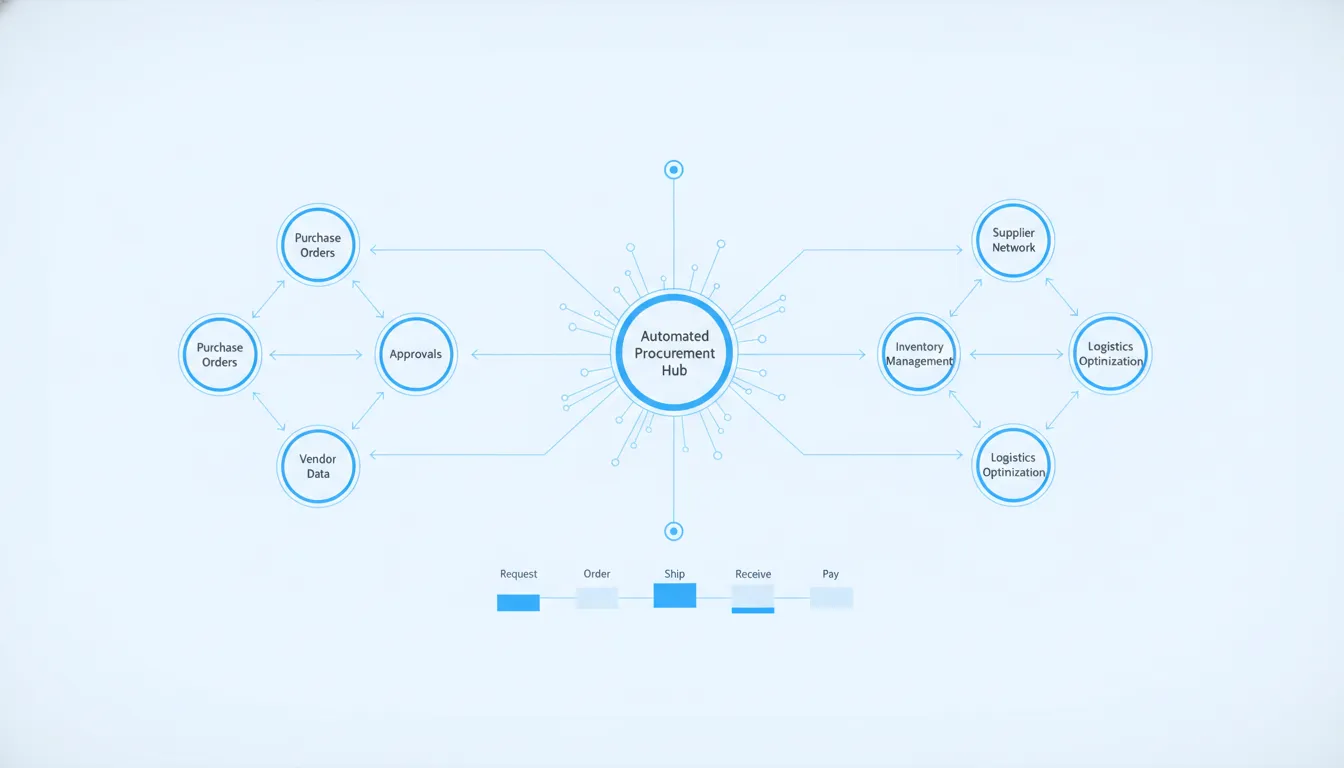
Manual purchase orders and late invoice matching slow down daily business work and cause costly spending leaks. Most supply teams spend hours tracking emails and spreadsheets to get basic orders approved. These slow steps hurt profits and stall vendor shipments.
NetSuite procurement automation centralizes all of your purchasing data and stops slow manual tasks to help your business control daily costs. This cloud software digitizes your entire procure-to-pay lifecycle by automatically creating purchase requisitions, routing approvals, and matching supplier invoices to receipts. By automating these repetitive tasks, your team can easily get the right items at the best price while keeping a steady supply of goods. The system reduces costly human errors, stops unapproved departmental spend, and strengthens vendor relationships through clear, active collaboration and prompt, accurate payments. With these automated workflows, your management team gains full visibility into spending trends and can track supplier performance to lower supply chain risks.
How does this technology work, and how can your company use it to streamline daily purchasing? To help you evaluate these cloud options, we will outline the main features and benefits of the system. The path begins with What Is NetSuite Procurement Automation.
What Is NetSuite Procurement Automation?
NetSuite procurement automation is a tool that helps firms manage how they buy. It uses software to store and centralize purchasing data. According to NetSuite, this system automates routine tasks such as creating purchase requisitions and matching invoices. By doing this, firms can move away from slow, paper-based workflows and speed up the entire process.
How the software cuts manual work
Many firms still use email and spreadsheets to buy goods. This slow approach often leads to lost requests and long delays. By storing data in a single place, this software saves staff from spending hours on manual entry. This makes it easy for teams to submit requests and for managers to check them.
Core goals of automated purchasing
Every buying team wants to get the right goods at the best price. As noted by NetSuite, the goal is to maintain a steady supply of items and services with minimal risk. By giving teams clear views of their spend, this system makes saving money much simpler. This also helps businesses build trust and establish long-term bonds with key suppliers.
ERP integration and advanced modules
Some businesses start with basic tools that only handle one task. According to NetSuite, procurement automation tools can range from simple apps to full ERP-integrated suites. Connecting these systems through Oracle NetSuite implementation and optimization lets data flow freely between buying and finance teams. This keeps all teams aligned on budgets and goals. NetSuite Advanced Procurement is an add-on module that gives you even more tools. It helps companies manage complex sourcing and vendor bonds. At Streams Solutions, we use our proven StreamsWay methodology to set up these advanced features with ease. This approach aligns the system with your unique business needs so you get the most value from your software.
The Hidden Costs of Manual Procurement Processes
Many growing firms still track purchases on paper and spreadsheets. But manual systems create a heavy load for back-office teams. This full procure-to-pay cycle begins with finding what you need and ends with paying suppliers.
According to a guide on procurement automation, this entire flow can be optimized through software. When teams handle each step by hand, errors occur and work slows down. CFOs and COOs lose track of company cash because of these slow tasks.
The drain on operational productivity
Paper forms and long email chains slow down daily work. Workers must wait days for simple sign-offs. Then, staff must enter the same data into many systems. This double entry causes errors and frustrates workers.
Good procurement management helps firms reduce costs and boost output. It also gives leaders a clear view from the first purchase request to the final payment. Research from North Carolina State University shows how modern systems help firms control spending and cut waste.
Without automation, teams cannot keep up with high order volumes. Setting up NetSuite procurement automation removes these manual blocks by tracking requests online. The software handles routine sign-offs and purchase order setup so people can focus on high-value tasks. This change keeps operations smooth and fast even as a business grows.
Compliance and vendor relationship risks
When workers buy items outside of approved contracts, costs go up. This maverick spend hurts the bottom line. It also harms ties with key vendors.
Managing external vendor relationships is a critical part of procurement management, as noted by industry guides. Businesses must ensure that all contracts remain in compliance with terms and rules. If contracts are kept in email folders, checking compliance is almost impossible. Leaders will not know if they got the agreed price or if a vendor missed a key deadline.
Setting up NetSuite procurement automation solves these challenges by storing all contract data in one place. CFOs can set clear spending rules that prevent unapproved purchases before they happen. COOs can track vendor delivery times and quality scores directly in the system.
The platform matches purchase orders, receipts, and bills on its own to find errors. This strict matching ensures the company only pays for what it received at the correct price. Automated alerts also warn managers before contract terms expire or when vendor scores drop below agreed levels.
How NetSuite Automates the Source-to-Settle Cycle
Managing a business requires tight control over spending and supply chains. To get this done, more than 37,000 companies worldwide rely on NetSuite’s automated features to run daily operations. With procurement automation, businesses can digitize and centralize data to get rid of manual tasks. This system handles everything from the first purchase request to the final vendor payment, cutting errors and saving time.
The procure-to-pay workflow
The complete procure-to-pay cycle runs from initial sourcing and contracts to goods receipt and payment. By automating this entire flow, NetSuite connects each step in a single system. This setup fills the gaps that often occur when companies use different tools for purchasing and accounting.
The five steps of automated procurement
Here is how the automated cycle works from start to finish.
- Purchase requisition. An employee enters a digital request for goods or services into NetSuite. The software routes this request to the right manager based on set rules and dollar limits.
- Purchase order generation. Once approved, NetSuite turns the requisition into a purchase order. The system then emails this order to the vendor without any manual data entry.
- Goods receipt. When the items arrive, your warehouse team logs the shipment in NetSuite. This action creates a digital goods receipt that links to the first purchase order.
- Three-way invoice matching. When the vendor invoice arrives, NetSuite checks it against the purchase order and the goods receipt. This step prevents overpayment by making sure the count and prices match.
- Payment. Once matched and approved, the bill is queued for payment in the accounts payable ledger. Finance teams can then schedule secure payments while keeping a clear audit trail.
Real-time control and visibility
Putting these steps in one ERP platform solves the headache of broken systems. According to NetSuite’s guide on procurement management, the entire procure-to-pay workflow includes sourcing, negotiating, receiving, and paying for orders. Keeping these tasks in a single database gives finance teams a clear view of all spending.
With automated controls, managers can monitor spending against budgets before any money is spent. This quick check prevents unapproved purchases and keeps departments aligned with company cash flow goals. Teams no longer have to chase paper approvals or search through old emails to verify purchasing decisions.
Streamlined accounts payable
Manual invoice entry often creates bottlenecks and leads to expensive data errors. Using NetSuite AP automation helps businesses verify bills and approve payments with fewer clicks. This ensures that vendor payments are made on time, which helps you build stronger supplier relationships and avoid late fees.
Streamlining Approval Workflows for Faster Purchasing
Good procurement management starts with a clear plan. This plan aligns purchasing habits with the needs of inside teams (NetSuite). Without a clear plan, departments may buy items that do not fit company goals. Leaders must connect department requests with the company budget.
Automated routing and administrative efficiency
Manual approvals often lead to lost emails and long delays, leaving requests sitting in an inbox for days. Automated workflows route documents and details to the right people at the right time. This automated routing cuts down on delays and errors (NetSuite). As shown by training guides for the North Carolina eProcurement system, automated workflows keep tasks moving by alerting the right person.
Using Oracle NetSuite services helps companies set up these automated paths. When the system is active, buying requests flow from the employee to managers in seconds. This speed allows the business to get needed goods without waiting for written signatures. Buyers can track the status of their orders in real time, which keeps teams aligned.
Customized rules for dollar thresholds and budgets
A smart system does not treat all purchase requests in the same way, using custom rules to handle each type of spending. For instance, firms can set rules based on dollar limits, allowing requests under 500 dollars to get automatic approval. If a request is between 500 and 5,000 dollars, the system routes it to a department manager. Any request over 5,000 dollars goes to a vice president for a final check.
The system also checks which department is making the request, routing requests to department-specific approvers. At the same time, the software performs budget checks. It looks at the department’s remaining funds before sending the request forward. If the purchase would exceed the budget, the system alerts the buyer.
Comparison: Manual vs. Automated Approval Workflows
| Workflow Step | Manual Process | NetSuite Automated Process |
|---|---|---|
| Request submission | Email or paper form submitted to manager | Digital form auto-routes to correct approver |
| Dollar threshold check | Manager manually reviews order amount | System auto-applies tiered rules |
| Budget verification | Check department spreadsheets | Real-time budget check against live balances |
| Approval notification | Email sent, may sit in inbox | Alert pushed to mobile or desktop |
| PO creation | Typed manually into system | Auto-generated from approved request |
By using NetSuite procurement automation, businesses can gain full control over their spending. Companies no longer have to worry about unapproved purchases or broken budgets. The automated system checks every rule and budget line in the background. This control gives finance teams peace of mind while helping operations run without delay.
Strengthening Vendor Relationships Through Automation
Healthy vendor relationships are vital for a smooth supply chain. When businesses use manual tools, talking to suppliers becomes slow and leads to errors. Using NetSuite procurement automation helps companies build better ties with their partners. By replacing paper forms with digital workflows, firms can save time and keep their contact clear.
Managing vendor bonds is a key part of procurement management to keep buying habits safe. Firms must make sure that all vendor contracts follow set terms and local rules. If a company does not track these deals, costs can quickly rise.
Centralized vendor records and contact
To build strong ties, businesses need a single place to store vendor data. NetSuite stores all supplier details, contracts, and emails in one central database, making data easy to find. This prevents lost messages. Staff can check current rates and past orders with a few clicks, making daily work simple for both sides.
Automation also helps teams save time, control budgets, and work closely with key partners. Businesses can use these tools to improve the procure-to-pay cycle. Stanford University outlines how tracking these deals helps firms manage supplier relationships and keep exact records. When both sides share a clear view of orders, trust grows and disputes drop.
Supplier scorecards and performance tracking
To keep a supply chain running, you must know how well your vendors perform. NetSuite procurement automation lets businesses track key metrics like shipping times, product quality, and exact costs on a live dashboard. This system uses real-data inputs to grade each partner. Leaders can see which vendors always deliver on time and which ones cause delays.
Using scorecards gives firms clear views of supplier habits. The system tracks how well vendors meet their goals, which helps teams reduce risks and control spending. A study from California State University shows how scorecards improve supplier performance. At Streams Solutions, we configure vendor management tools so you can spot weak links early.
Ensuring contract compliance and risk control
Buying from approved partners at set rates is key to keeping costs low. But manual tracking can make contract check-ups hard to manage. NetSuite procurement automation keeps all active contracts in a central place. The system checks every purchase order against set prices on its own, sending alerts if a vendor changes rates.
This auto-check ensures that contracts comply with both business terms and outer rules. Managing these external vendor relationships is a key part of procurement management. It protects your business from high risks and hidden fees. Working with Streams Solutions using our StreamsWay approach ensures a smooth setup that builds strong, lasting bonds with partners.
Integrating Procurement with Inventory for End-to-End Control
When procurement and inventory management are not in sync, businesses run into costly issues. Buying teams may purchase too much stock, which ties up cash, or too few parts, which stalls sales. Businesses need a single view of what they have and what they need to buy. Streams Solutions helps firms link these two systems to gain full control over their supply chain. With NetSuite procurement automation, your team can keep stock levels in balance while speeding up purchases.
Real-time stock visibility
Buying goods without knowing what is in your warehouse leads to big waste. If your staff cannot see current stock levels, they may place double orders or miss bulk discounts. A report from the U.S. Small Business Administration shows that exact stock counts are key to cutting costs. A connected system gives buying teams quick updates on what is on hand, what is on order, and what is sold.
With a native ERP setup, buying data and warehouse data live in the same place. Staff do not have to log into two different programs to check if an item is on hand. They can see live counts directly on the purchase request screen, which speeds up the procurement process. This clear view helps your team make smarter buying choices that match true business needs.
Automated reorder triggers
Buying stock by hand often leads to human error. A team member might forget to check a bin, or they might place an order too late, causing a stockout. Streams Solutions offers Advanced Inventory Management to help firms automate this cycle. The system lets you set fixed reorder points for every item you stock. When stock falls below your set limit, NetSuite can create a purchase requisition on its own.
Streamlined receiving updates
The final step in the purchase cycle is receiving the goods and updating your books. When a shipment arrives at your dock, workers must count and check the items. In a manual system, they must write down these counts and pass them to the accounting team. This manual step takes time and often leads to entry errors.
Linking procurement with inventory automates the entire procure-to-pay cycle. As soon as workers receive an order, NetSuite updates stock levels and matches the receipt to the purchase order and the vendor bill. This three-way match ensures you only pay for what you receive, which simplifies your NetSuite AP automation steps. By using a secure ERP integration, you can manage your inventory and cash flow in one single system.
Measuring ROI: The Business Impact of Procurement Automation
CFOs must look past simple cost cuts when checking the value of new software. Choosing NetSuite procurement automation helps firms track every dollar of cash flow. As noted by NetSuite, procurement management cuts costs, raises output, and gives clear views from the first request to the final payment.
Key metrics for financial leaders
A business saves money when it stops unplanned spending. Smart automation helps teams track every dollar spent on goods and services. A study from the University of Arkansas shows that automated supply chain workflows cut manual work. This lets staff focus on higher-value tasks.
By using this software, teams can work better with their partners. According to NetSuite, procurement automation saves time, controls costs, and improves efficiency. It also helps teams work with vendors by giving better views of spending. Clear data prevents billing errors and makes it easy to track how well each vendor performs.
Time savings and operational productivity
When you automate procurement, the business gains speed across several areas:
- Shorter cycle times: Purchases move from draft to approved status in minutes instead of days.
- Better contract compliance: Staff buy from approved partners at the correct contracted price.
- Fewer matching errors: The system flags price differences on its own between purchase orders and bills.
Accelerating the path to value
Many leaders worry about the time and cost to set up new systems. But you can start saving money much faster by working with an expert partner. At Streams Solutions, we use proven pre-built tools to speed up your setup. Our special accelerators reduce setup times by 40 to 60 percent.
We combine these tools with our deep NetSuite expertise to align the system with your budget goals. By following the StreamsWay approach, we guide your team through every single step. There are no surprise delays. This fast setup ensures a quick path to positive ROI and better cash control.
Frequently Asked Questions
Is NetSuite a procurement system?
While NetSuite is an enterprise resource planning platform, it has a built-in module for buying. According to NetSuite, this software manages every step from the first purchase request to the final payment. This lets a business track its whole procurement process in one place, which links buying directly with money, inventory, and vendor details.
How do NetSuite workflows automate purchase order approvals?
NetSuite uses custom rules to send purchase orders to the right people. These rules can use dollar limits, departments, or budgets to choose who must sign off. According to NetSuite, these automated routes stop delays and cut down on human mistakes. This keeps buying fast and helps teams stay within their budgets without slow email chains.
What procurement challenges does NetSuite solve?
NetSuite helps businesses fix slow manual tasks, bad data, and rogue spending. In many companies, paper forms and manual invoice checks lead to costly payment errors. According to NetSuite, automation solves this by keeping all data in one place and matching invoices to orders. This stops double payments, lowers costs, and helps teams follow company rules.
How does NetSuite improve vendor relationship management?
NetSuite helps businesses manage supplier contracts and track how well vendors perform. According to NetSuite, having clear visibility into vendor performance helps reduce risk and improves how teams work with suppliers. When a business has real-time data on lead times and costs, it can negotiate better terms. This makes partners more reliable and ensures that vendors meet the terms of their agreements.
Ready to automate your NetSuite purchasing processes?
Sticking with slow, manual purchasing processes means your business will still suffer from costly data errors and waste your team’s best work hours. Setting up NetSuite procurement automation today lets you stop these leaking costs, gain a clear view of your spend, and improve cash flow. Our expert team can use proven tools to cut your setup time in half, helping you get fast results without the usual project stress.
Ready to automate your NetSuite purchasing processes? Book a call today to schedule a free consultation with Streams Solutions. Our expert team is ready to build a custom plan that fits your exact business goals. Contact us now to find out how easy it is to get started.