
Manual data entry between siloed business tools drains mid-market profits and halts growth. As a firm grows, trusting staff to copy numbers between split systems leads to costly human errors that compound across every department.
ERP integration challenges block mid-market growth by creating costly roadblocks across data flows, separate software tools, and daily operations. According to recent academic research, connecting different business platforms into unified networks remains difficult for growing firms. Companies must resolve data format gaps, build secure pipelines, and train teams on new automated workflows to overcome these hurdles.
Talk with Streams Solutions about your ERP integration strategy
How can your business avoid these complex software connection issues and build a unified system that supports long-term growth? The path begins with understanding the most common barriers mid-market organizations encounter when connecting their core platforms.
What Are the Most Common ERP Integration Pain Points Mid-Market Businesses Face?
Mid-market firms encounter significant roadblocks when connecting their core systems. According to published research, organizations face approximately 27 distinct ERP integration challenges across three areas: organizational, technological, and data governance. These barriers slow operations and increase costs.
ERP integration pain points fall into four categories: data silos and compatibility, real-time data lag, legacy system connectivity, and high setup and maintenance costs. Each presents unique obstacles that require structured solutions.
Data compatibility and silos
Many firms run separate tools for sales, accounting, and inventory. When systems cannot communicate, data gets trapped in silos. Teams must enter the same information twice, which invites human error and degrades data quality over time.
These silos prevent you from getting a clear operational view across your Oracle NetSuite ERP platform. Software version changes also create expensive maintenance burdens. Most ERP projects span years and grow more complex as organizations add new applications over time.
Real-time data lag
As organizations outgrow small business tools, they need instant data visibility. When systems fail to sync in real time, teams face major gaps in decision-making. Your inventory count might show items already sold, making it impossible to fulfill orders accurately.
Slow data flow also damages customer relationships. A sales team using a separate CRM like Salesforce cannot verify whether a client has paid their invoices on time. When finance and sales teams act on outdated information, they make poor strategic choices.
Legacy software and compliance
Older systems lack modern connectivity options. Linking an on-premise legacy system with cloud-based tools often requires costly custom code, and those custom integrations tend to break after routine updates.
Security risks multiply when connecting business tools. Moving sensitive data between systems can expose confidential client information. Organizations in regulated industries must maintain strict compliance with data protection standards for healthcare, finance, and privacy.
High setup and maintenance costs
Building integrations between business tools requires significant investment in software licenses, hardware, and specialized expertise. The hidden cost is often the time your team spends on manual reconciliation and data quality checks. Ongoing maintenance of custom links drains budgets year after year.
Many firms reduce these costs by adopting pre-built integration platforms. Setting up tools like a modern Dynamics 365 ERP can connect your systems with less custom development and lower ongoing risk.
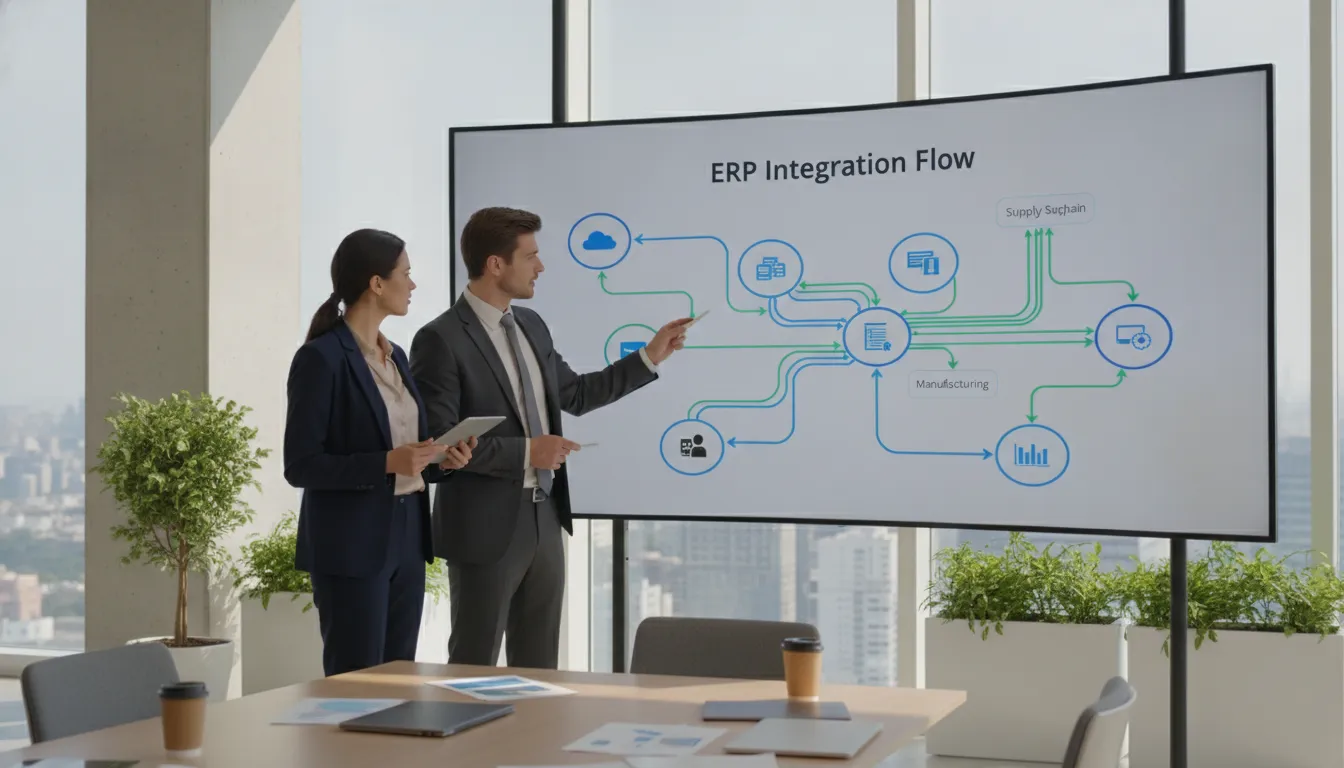
Integration Approaches: Point-to-Point, Middleware, and API-Led
Choosing the right integration architecture determines whether your ERP ecosystem scales smoothly or becomes unmanageable. Each approach carries distinct trade-offs in cost, complexity, and long-term flexibility. For a direct iPaaS, custom, or accelerator comparison, use the decision framework below.
Three primary integration approaches exist: point-to-point connections for simple needs, middleware and iPaaS for scalable centralized management, and API-led connectivity for maximum flexibility and reuse across the enterprise.
Point-to-point connections
Direct connections between two systems are the simplest approach. Each pair of applications gets a custom link. This works for small environments with only a few integrations, but it does not scale. A handful of tools can require dozens of point-to-point links, each needing separate maintenance.
Middleware and iPaaS options
Integration Platform as a Service (iPaaS) solutions act as a central hub that connects all your applications through a single platform. This reduces the number of connections from many-to-many to one-to-many. An iPaaS business benefits guide explains how this approach simplifies data transformation, monitoring, and error handling across your entire ecosystem.
Middleware solutions provide pre-built connectors for popular ERP and CRM platforms, reducing the custom development burden. They also include built-in tools for data mapping, workflow automation, and exception handling.
API-led connectivity
Modern API-led approaches treat every system connection as a reusable building block rather than a one-off link. Developers create standardized APIs that any application can consume, dramatically reducing duplication of effort across the enterprise.
This approach aligns well with Salesforce integration and other modern cloud platforms that expose robust REST and SOAP APIs. API-led connectivity also enables faster onboarding of new applications as your technology stack evolves.
Data Mapping and Transformation Best Practices
Data mapping is the process of defining how fields in one system correspond to fields in another. Without careful mapping, even the best integration platform will produce unreliable results.
Effective data mapping requires field-level correspondence analysis, standardized data dictionaries, automated transformation rules, and rigorous testing with real production data before going live.
Why data mapping matters
Two systems may use different formats for the same information. One might store dates as MM/DD/YYYY while the other uses YYYY-MM-DD. Customer names might be stored as a single field in one system and split into first and last names in another. Each mismatch creates integration errors that corrupt downstream data.
Mapping also ensures referential integrity. When an order references a customer record, both systems must agree on the customer identifier. Automated transformation rules enforce these relationships consistently.
Six steps to align your data
- Audit both source and target systems to catalog every data field and format specification.
- Create a cross-reference matrix that maps each source field to its target counterpart.
- Define transformation rules for every format mismatch, including date, currency, and unit conversions.
- Implement validation checks that catch mapping errors before data reaches the target system.
- Test with a representative subset of real production data, not sanitized sample data.
- Monitor data quality metrics post-deployment and adjust mapping rules based on observed errors.
The benefit of system automation
Automated transformation rules eliminate the manual reconciliation work that consumes hundreds of staff hours each month. When data moves between your ERP and CRM automatically, your teams can focus on revenue-generating activities. A NetSuite integration guide can help you define mapping rules specific to your ERP platform. Streams Solutions’ data, AI, and analytics services can help turn connected operational data into reliable reporting and decision support.

How Do ERP Integration Challenges Differ by Industry?
ERP integration requirements change with the operational data, controls, and timing each industry depends on. The architecture should reflect business meaning, not just the availability of a connector.
What ERP integration challenges are common in manufacturing?
Manufacturers often connect an ERP with manufacturing execution systems, warehouse management systems, customer relationship management platforms, ecommerce channels, and EDI partners. The difficult work is usually more specific than moving records between systems. Product identifiers, bills of material, units of measure, lot and serial numbers, production status, inventory availability, and quality records must retain the right meaning as they move between applications.
A practical manufacturing integration should define which system owns each product, order, inventory, and production field. It should use governed mappings, validate representative production-like data, and monitor exceptions instead of treating every failed record as a manual cleanup task. Batch processing may be appropriate for planning or reporting data, while production, inventory, or order events may require near-real-time handling. A phased assessment and test plan can reduce risk when legacy equipment or older plant systems cannot expose modern APIs. See the NetSuite ERP manufacturing guide for related industry considerations.
How should nonprofits approach ERP integration?
Nonprofits may need to connect donor and constituent data, fundraising or CRM tools, fund and grant dimensions, payroll, bank or card feeds, approval workflows, and financial reporting. Restricted funds, grant requirements, audit trails, and board reporting make data governance especially important. A donation or expense record should arrive with the dimensions and approvals finance needs, not merely with a matching contact record.
An illustrative nonprofit scenario is to define the donor or grant system as the source for relationship information, the ERP as the source for accounting records, and a controlled integration layer as the place for transformation, validation, and error handling. The workflow can route exceptions for review, preserve an audit trail, and support recurring finance and grant reporting. This is an illustrative pattern, not a named customer result. The NetSuite nonprofit guide provides additional context for these requirements.
What does ERP integration look like for SaaS companies?
SaaS companies commonly connect CRM opportunities and contracts with ERP customers, subscription billing, usage or entitlement data, invoicing, and revenue-recognition workflows. The design must account for customer and account identity, contract changes, multi-currency, API limits, event-versus-batch processing, and finance controls such as ASC 606 revenue recognition.
An illustrative SaaS workflow might send an approved contract from CRM to subscription billing, create or update the ERP customer and items, and return invoice or payment status to the systems that need it. The integration should define how amendments, cancellations, retries, duplicate events, and late-arriving usage are handled. This is an illustrative pattern, not a named customer result. Review the SuiteBilling subscription-management resource and Salesforce-NetSuite Accelerator for related patterns.
What Do ERP Integration Case Examples Reveal?
Illustrative nonprofit example
A nonprofit integration can connect donor or grant information with fund dimensions, approval workflows, audit trails, and finance reporting. The useful lesson is to define ownership and controls before choosing the connector. This is an illustrative scenario based on the integration requirements described above, not a named customer case or quantified result.
Verified multi-system example: APLUS, Salesforce, and NetSuite
The published APLUS NetSuite integration case describes workflows across Salesforce, APLUS, and NetSuite, including manual payroll and profitability processing and posting parameters based on project and job role. The case also documents a limitation in which the system could not import more than 1,000 rows of data through CSV. Streams identifies Boomi as the iPaaS bridge for this multi-system workflow.
Verified API-led example: Commerce7 and NetSuite
The published Commerce7 integration case describes an API-based NetSuite integration for multi-store or tenant inventory and order visibility, including concerns that arise during peak loads. The example shows why API-led connectivity can be useful when operational data must move between systems with different scale and availability requirements.
What these examples have in common
Successful integration design starts with discovery, canonical data definitions, transformation rules, monitoring, error handling, and representative testing. Choosing a connector by name is less important than confirming that the architecture can preserve business meaning and give the team a reliable way to find and resolve exceptions.
Which ERP Integration Approach Fits: iPaaS vs. Custom vs. Accelerator?
The right approach depends on the number of systems, data volume and frequency, available connectors, unique business rules, compliance and audit requirements, monitoring needs, and who will own the integration after launch.
| Approach | Best fit | Strengths | Trade-offs | Example use case |
|---|---|---|---|---|
| iPaaS | Organizations connecting several systems or repeatable workflows | Reusable transformations, monitoring, orchestration, and a managed integration layer | Subscription and implementation cost; connector limits and platform governance still matter | Boomi, Celigo, Workato, or Azure Data Factory coordinating CRM, ERP, and operational data |
| Custom integration | Unusual business logic, unsupported endpoints, specialized event flows, or proprietary workflows | Maximum control over behavior, data handling, and specialized requirements | More design, testing, ownership, documentation, and maintenance responsibility | A specialized event workflow that an available connector cannot model safely |
| Accelerator | A known pattern already matches most requirements | Prebuilt foundation can speed configuration and provide a proven starting point | Mapping, configuration, exceptions, and organization-specific controls are still required | Salesforce-NetSuite, Shopify-NetSuite, or HR/payroll-to-NetSuite workflow |
Decision checklist
- How many systems and business entities must stay synchronized?
- How much data moves, and how often must it move?
- Are reliable connectors or APIs available?
- Which business rules are unique to the organization?
- What compliance, audit, and data-retention controls are required?
- How will failed records, retries, and monitoring be handled?
- Who will own support and maintenance after launch?
Point-to-point integration can work for a small number of stable connections, but it should not be the default for a growing application estate. As systems and workflows multiply, a governed iPaaS, custom architecture, or matching accelerator can provide clearer ownership and better exception handling.
Key Considerations for NetSuite, Dynamics 365, and Salesforce Integration
Each major ERP and CRM platform has unique integration characteristics that affect how you design your connectivity architecture. Understanding these differences is critical before selecting tools and partners.
Unique requirements of each platform
| Platform | Integration Strength | Key Consideration |
|---|---|---|
| Oracle NetSuite | SuiteTalk SOAP/REST APIs, SuiteScript customization | SuiteCloud platform limits and governance requirements |
| Microsoft Dynamics 365 | Power Platform, Dataverse, Common Data Model | Licensing costs for premium connectors and API capacity |
| Salesforce | REST/SOAP APIs, MuleSoft Anypoint Platform | API call limits and bulk data handling constraints |
Each platform also handles data volumes differently. NetSuite imposes governance limits on SuiteTalk API calls, while Dynamics 365 scales through its Power Platform connectors. Salesforce enforces daily API call limits that require careful batch scheduling for large data migrations.
Common ERP integration challenges across platforms
Despite their differences, these platforms share common integration challenges. Data synchronization frequency must balance real-time needs against API rate limits. Error handling and retry logic must account for network interruptions and timeouts. Security models differ, requiring careful credential management across platforms.
Working with partners who have multi-platform expertise reduces the learning curve. Streams Solutions holds certifications across NetSuite, Dynamics 365, and Salesforce, enabling unified integration strategies that account for each platform’s strengths and constraints.
Smarter business outcomes with proprietary accelerators
Pre-built accelerators can significantly reduce integration timelines. Streams Solutions offers a Shopify-NetSuite order-fulfillment accelerator that automates order fulfillment for businesses processing over 100 orders per day, eliminating manual order entry entirely.
The Salesforce-NetSuite integration accelerator and HR-Payroll accelerators provide similar time savings. These pre-configured integrations reduce typical deployment timelines from months to weeks while incorporating best practices discovered across hundreds of implementations.
How Can Leaders Overcome Organizational and Change Management Hurdles?
Technical integration challenges often receive the most attention, but organizational resistance and change management issues cause more project failures than technology gaps. Addressing the human side of integration is essential for long-term success.
Stakeholder alignment and buy-in
Executives, department heads, and end users all have different priorities for an integration project. Finance wants accurate data flows for reporting. Sales wants real-time access to customer information. Operations wants automated inventory synchronization. Without structured stakeholder alignment, conflicting priorities create scope creep and delays.
An ERP implementation roadmap helps align these stakeholders around a shared vision with clear milestones, ownership assignments, and success criteria for each phase.
User training and clear messages
New integrated systems require training. Staff accustomed to manual processes may resist automated workflows that feel unfamiliar. Comprehensive training programs that explain both the “how” and the “why” of new integration workflows reduce resistance and accelerate adoption.
Clear communication about expected benefits also matters. When teams understand that integration eliminates their most tedious data entry tasks, they become advocates rather than blockers.
Staff pushback and doubts
Change fatigue is real in mid-market organizations. Staff may fear that automation threatens their roles, or they may distrust automated data flows after experiencing poorly implemented systems in the past. Addressing these concerns directly through town halls, one-on-one conversations, and visible executive sponsorship is critical.
Involve end users in testing and validation. When staff help shape the final integration design, they take ownership of the outcome. This participatory approach significantly improves adoption rates compared to top-down mandates.
How to Choose the Right ERP Integration Partner
Selecting the right integration partner is arguably the most consequential decision in any ERP integration project. The partner’s expertise, methodology, and support model directly determine whether the project delivers on its promises.
Multi-platform expertise and technical depth
Partners with experience across multiple ERP and CRM platforms bring perspective that single-platform specialists lack. They understand how NetSuite handles data differently from Dynamics 365, and they can design integration architectures that work well with both.
Deep NetSuite expertise includes SuiteScript, SuiteTalk, SuiteFlow, SuiteBuilder, and custom integration development. This technical breadth enables partners to design solutions that leverage each platform’s native capabilities rather than fighting against them.
Pre-built accelerators and delivery methodology
The best integration partners invest in pre-built accelerators that compress deployment timelines. The StreamsWay methodology prioritizes trust, collaboration, client objectives, and value throughout every engagement. This structured approach ensures predictable outcomes and clear communication at every milestone.
Ask potential partners about their accelerator library, their average integration deployment timeline, and how they handle scope changes during a project. NetSuite-focused partners with proven accelerators typically deliver faster results than generalist consultancies.
Ongoing managed support and system health
Integration projects do not end at go-live. Ongoing monitoring, error handling, and system updates require continuous attention. Partners who offer managed support can maintain integration health over the long term, catching issues before they impact business operations.
This is particularly important for mid-market organizations that may not have dedicated integration engineers on staff. A managed support arrangement provides access to specialized expertise without the overhead of a full-time hire.
Discuss your ERP integration challenges with Streams Solutions
Frequently Asked Questions
How long does an ERP integration take?
Typical ERP integration projects for mid-market businesses take 3 to 9 months depending on complexity. Simple point-to-point connections may deploy in weeks, while full multi-system integrations involving NetSuite, Dynamics 365, or Salesforce can take 6 to 12 months. Pre-built accelerators from experienced partners can reduce timelines by 40 to 60 percent.
Why does ERP integration fail?
ERP integration projects fail most often due to inadequate data mapping, insufficient stakeholder alignment, underestimating legacy system complexity, and lack of ongoing maintenance planning. Technology issues are rarely the root cause. Organizational resistance and poor communication between departments contribute to more failures than technical limitations.
How do you handle data migration during ERP integration?
Data migration follows a structured process: audit source data for quality issues, define mapping rules between old and new systems. Run test migrations with representative data subsets, validate results against business rules, and execute the final cutover during a planned maintenance window. Incremental migration strategies that keep old systems running alongside new ones reduce business disruption.
What is middleware in ERP integration?
Middleware is a software layer that sits between different applications to facilitate data exchange, transformation, and routing. In ERP integration, middleware platforms like iPaaS solutions provide pre-built connectors, data mapping tools, workflow automation, and error handling without requiring custom code for each connection.
What are the main types of ERP integration challenges?
ERP integration challenges fall into three categories: technological (data format mismatches, legacy system compatibility, API limitations). Organizational (stakeholder alignment, staff resistance, skill gaps), and data governance (data quality, security compliance, referential integrity). According to academic research, organizations face approximately 27 distinct challenges across these three categories.
How do manufacturers integrate ERP with MES or WMS?
Manufacturers typically begin by defining ownership for products, bills of material, inventory, production status, and quality data. The integration can then use governed mappings, phased testing, and a mix of batch and near-real-time processing based on operational risk and system capability.
How can nonprofits connect donor, grant, and finance data?
Nonprofits should map donor and grant records to the ERP’s fund, grant, approval, and reporting dimensions. The design should preserve restricted-fund meaning, audit trails, exception handling, and the reporting controls needed by finance teams, boards, and grantors.
Should a SaaS company use iPaaS or custom integration?
An iPaaS is often a strong starting point when standard connectors, repeatable transformations, monitoring, and orchestration cover the workflow. Custom integration may be better when the company has unusual event flows, unsupported endpoints, or specialized revenue and entitlement logic that connectors cannot safely model.
When is an ERP accelerator a better choice than a custom build?
An accelerator is a better starting point when a known pattern, such as Salesforce-NetSuite, Shopify-NetSuite, or HR/payroll-to-NetSuite, matches most requirements. It still needs configuration, field mapping, testing, and exception handling for the organization’s specific processes.