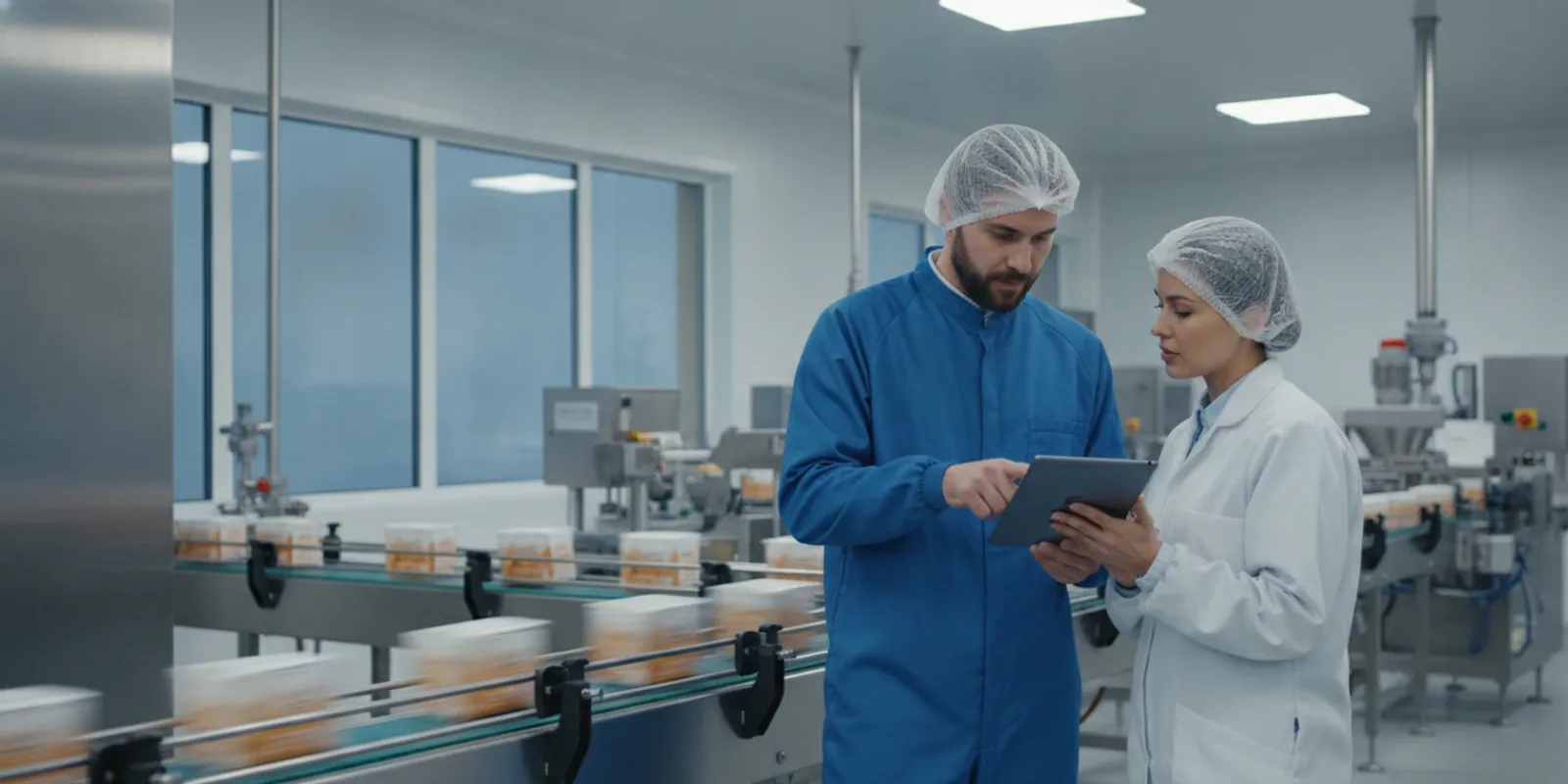
Choosing food manufacturing ERP software is not just a matter of tracking work orders and inventory. Food producers also need to connect ingredient lots, formulas, production steps, quality checks, finished goods, and shipment records. The right system should fit the way your operation controls product and records information—not force your team to rebuild its process around generic manufacturing assumptions.
Discuss your ERP requirements with Streams Solutions
What makes food manufacturing ERP software different?
Food manufacturing combines familiar production needs with product-specific controls. A plant may need to plan capacity, issue materials, record labor, and close production orders. At the same time, it must know which ingredients went into each batch, whether a lot passed inspection, what formula version was used, and where the resulting product went.
A general-purpose manufacturing platform may cover work orders and stock balances but lack the depth or configuration needed for these records. That does not automatically rule out a broad ERP. It means the selection team should test real food workflows rather than relying on feature labels. Start with the products, processes, and risks that define your operation, whether you make baked goods, beverages, prepared meals, dairy products, ingredients, or another category.
For a useful baseline, document the current process from receiving through production and shipment. Include exceptions such as substitutions, rework, partial batches, quality holds, and returned product. A vendor should be able to show how the system handles those situations using your terminology and a realistic example.
Which capabilities should a food manufacturer evaluate?
Batch, lot, and product traceability
Traceability depends on reliable links between incoming materials, production activity, and finished goods. The system should capture supplier and ingredient lot identifiers at receipt and preserve their relationship to batches and finished-product lots. It should also record quantities, dates, locations, and relevant production order details.
Ask vendors to demonstrate both directions of a trace. For a forward trace, start with an ingredient lot and identify the batches and shipments that used it. For a backward trace, start with a finished lot and identify its ingredients, production records, and relevant suppliers. Check whether the process works across multiple facilities, split or merged lots, returns, and rework where those cases apply to your operation.
Do not stop at seeing a traceability screen. Ask how quickly an authorized employee can produce a complete, understandable record, which data is captured automatically, and which steps rely on manual entry. Confirm whether the system logs changes to important records and preserves an appropriate history. The details matter more than a simple claim of lot tracking.
Recipes, formulas, and production control
Recipe and formula management should support controlled versions, approved substitutions, units of measure, scaling, and the instructions operators need at each step. Some manufacturers also need to account for yields, scrap, by-products, or co-products. Define which of these are essential before comparing demonstrations.
Test whether a production order uses the intended approved formula and how the system records a change. For example, if an ingredient is unavailable and a permitted substitute is used, determine who can authorize that change, how actual usage is captured, and how the final batch record reflects it. Consider whether operators need instructions on a screen, printed documentation, or both.
Recipe management should connect with purchasing and inventory. Otherwise, buyers may order against an outdated bill of materials, or production may discover too late that a required ingredient is unavailable. Include formula updates and effective dates in your demonstration scenario.
Quality checks and nonconformance workflows
Map the inspections that occur at receiving, during production, and before release. The ERP may need to store specifications, sampling requirements, results, pass-or-fail decisions, and the person or role responsible. Confirm that a failed check can trigger a hold or other controlled next step rather than leaving the decision in an email or spreadsheet.
Also test how the system handles a deviation. Can an employee record the issue, identify affected lots, document disposition, and preserve approvals? Does the quality team have a clear view of open issues? Decide whether the ERP itself should manage these workflows or exchange data with a separate quality management system. Avoid assuming that an ERP’s general notes or attachments provide a complete quality process.
Inventory, shelf life, and warehouse operations
Inventory requirements may include lot and location control, expiry or best-before dates, status restrictions, unit conversions, and rules for picking or consuming material. Confirm how the system distinguishes usable stock from quality-held, expired, or otherwise unavailable inventory. If your operation uses handheld scanners, scales, label printers, or warehouse software, include those tools in the evaluation.
Ask how the system supports first-expiring-first-out practices when appropriate, and how it prevents a picker from selecting the wrong lot. Review the whole movement: receipt, putaway, internal transfer, production issue, finished-goods receipt, and shipment. A correct on-hand balance is not enough if employees cannot follow the intended process on the floor.
Production planning, costing, and reporting
Planning should reflect the constraints that actually affect your plant: available ingredients, line or equipment capacity, labor, changeovers, production windows, and order priorities. Ask whether planners can see material shortages and capacity conflicts before releasing a schedule. Test how quickly they can respond to a late delivery, an urgent order, or a change in demand.
For costing, clarify how the system compares planned and actual material use, labor, overhead, and yield where relevant. Determine whether teams can review variances by product, batch, or production order, and whether finance can reconcile operational activity with the general ledger. These needs should be evaluated together, since inconsistent production and financial data can make margin analysis less useful.
Reporting should answer practical questions: What is scheduled? Which lots are on hold? Where are shortages emerging? How did actual output compare with the plan? Which orders are ready to ship? Identify who needs each answer and how often. Then confirm whether the information is available in standard reports, dashboards, or a supported analytics connection.
How should you compare core requirements?
Use a consistent scorecard to compare vendors. Mark each requirement as standard, configurable, dependent on an add-on or integration, requiring custom development, or not supported. Ask the vendor to show the relevant workflow and identify any assumptions. The table below is a starting point; adjust it to match your facility and products.
| Requirement | What to verify in a demonstration | Evidence to request |
|---|---|---|
| Lot traceability | Trace an ingredient lot forward and a finished lot backward, including splits or rework if applicable. | Sample trace report, retained history, and identified manual steps. |
| Recipes and formulas | Change a formula version, scale a batch, and record an approved substitution. | Version controls, approval path, and production record. |
| Quality controls | Record a failed check, place affected stock on hold, and document disposition. | Inspection record, hold status, and approval or exception history. |
| Inventory and expiry | Receive a lot, assign a status and date, then pick or issue the appropriate stock. | Inventory transaction history and rules for blocked or expiring stock. |
| Planning and costing | Respond to a shortage or schedule change and review actual-versus-planned use. | Schedule view, variance example, and finance reconciliation approach. |
| Integration and reporting | Follow a transaction into connected systems and identify the owner of each record. | Interface map, error-handling process, and sample operational report. |
What compliance and records questions belong in selection?
Compliance requirements depend on the product, process, and markets served. Treat this as a workflow and evidence question, not as a promise that buying a particular ERP makes a company compliant. Identify the records your quality and operations teams must create, review, retain, retrieve, and provide to authorized parties. Have qualified internal specialists determine which rules apply to your business.
Check whether users can see who created or changed important records, when changes occurred, and what the prior value was. Review role permissions, approval controls, backups, retention practices, and procedures for correcting mistakes. Ask how the system supports record retrieval when a customer inquiry or internal review requires the history of a product lot.
The FDA’s inspection guide on computerized systems in food processing discusses examples of process measurement and control equipment used in food operations. For an ERP evaluation, that is a useful reminder to map how information moves from instruments and operational systems into the records people rely on. Confirm the relevant controls for your own facility with your quality and compliance advisors.
How do integrations affect the selection?
Food production data rarely lives in one application. A business may connect the ERP to accounting, ecommerce, customer relationship management, warehouse tools, shipping services, production equipment, laboratory systems, or analytics. Make an inventory of the systems and identify which application owns each data element. For instance, decide where a customer, item, supplier, formula, or production status is mastered before designing an interface.
For each integration, specify the business event, direction of data flow, frequency, volume, error response, and responsible owner. Ask what happens when a message fails, arrives twice, or carries incomplete information. A dependable integration plan includes monitoring, reconciliation, and a way to resolve exceptions—not just a technical connection.
Review the vendor’s available methods, such as supported APIs, connectors, or file exchanges, and ask who will maintain them after launch. Streams Solutions works across ERP, CRM, and integration technologies; its data integration services are one resource for understanding cross-system requirements. Also consider whether operational information should feed a data and analytics environment for broader reporting.
If your plant uses custom equipment or a specialized production application, list the required data before comparing platforms. Streams Solutions also describes software development services, which may be relevant when a process requires a tailored connection or extension. Any customization should have a defined owner, test plan, and support approach.
How can you compare ERP options without overvaluing feature lists?
Separate essential needs from useful enhancements. Give each requirement a priority, the business reason behind it, and a pass condition that can be demonstrated. Then compare the same scenarios across every shortlisted product. This helps expose the difference between a standard capability and a feature that depends on another application, manual work, or custom code.
A broad platform such as Oracle NetSuite ERP may be one option to assess, alongside other ERP products that fit your size, processes, and technical environment. If a candidate is part of a wider Dynamics or Salesforce ecosystem, understand how responsibilities will be split: ERP typically manages core operational and financial records, while CRM supports customer-facing processes. The ERP versus CRM overview can help frame that distinction.
Use a weighted scorecard, but do not let a high total hide a critical gap. For each platform, record licensing and implementation assumptions separately, including add-ons, integrations, data migration, training, and ongoing administration. Ask for the basis of estimates rather than treating an early quote as a complete cost forecast. Your implementation scope and operating model will influence the total effort.
Include stakeholders from production, quality, supply chain, finance, IT, and leadership. The people who will use or support the process can identify practical requirements that may not appear in an executive feature list. If the company has multiple sites or product lines, include representatives who can explain where processes differ and which differences should be standardized.
What should an implementation evaluation checklist include?
Before selecting a vendor or signing a project scope, check that the proposal addresses the work needed to make the system usable:
- Process scope: Name the facilities, products, workflows, exceptions, and business units in the first release.
- Data readiness: Identify source data, owners, cleanup decisions, history to migrate, and how totals and records will be reconciled.
- Configuration boundaries: Clarify what is standard configuration, what needs an add-on, and what requires custom development.
- Integration ownership: Document interfaces, data ownership, monitoring, exception handling, and ongoing maintenance responsibilities.
- Controls and testing: Plan role reviews, traceability tests, quality scenarios, inventory checks, financial reconciliation, and user acceptance testing.
- Training and cutover: Define role-based training, support during launch, open order handling, inventory counts, and fallback procedures.
- Post-launch support: Establish how users report issues, how priorities are agreed, and who maintains configurations and integrations.
Build acceptance tests around actual operations. A traceability test should use a realistic lot and show the output an employee would need. A quality test should include a failed inspection and confirm that affected stock cannot proceed inappropriately. An integration test should cover a successful transaction and a deliberate error. Record who signs off on each result and what must be corrected before go-live.
Use a phased plan when the scope is broad or the organization needs time to prepare data and processes. A phase might cover a facility, product group, or set of high-priority workflows, but it should have clear dependencies and a way to keep records consistent across the transition. The ERP implementation roadmap provides a related planning resource. To compare advisory and delivery needs, review Streams Solutions’ consulting and implementation approach and its overview of manufacturing solutions.
Talk with Streams Solutions about your ERP evaluation
Frequently Asked Questions
Can a general manufacturing ERP work for a food producer?
It can if it supports the workflows and records the operation needs, either natively or through a clearly scoped configuration or integration. Validate recipes, lot genealogy, quality checks, inventory status, and production records using realistic scenarios before deciding. A general feature list is not enough to establish fit.
Does ERP software automatically make a food manufacturer compliant?
No. Software can help organize records, workflows, permissions, and review steps, but selecting a system does not by itself establish compliance. Determine which requirements apply with qualified advisors and verify that the proposed processes, controls, and operating practices support them.
Should quality management be part of the ERP?
That depends on the depth of your quality workflows and the systems already in use. Compare the ERP’s inspection, hold, deviation, approval, and traceability capabilities with your needs. If a separate quality system is required, define the integration and record ownership so teams can follow an issue across applications.
What is the most important food ERP demonstration scenario?
Use an end-to-end case that begins with receiving an ingredient lot, proceeds through a formula-based production order and quality checks, and ends with finished-goods shipment. Include one exception, such as a failed inspection or substitute ingredient, and see whether the system preserves the related approvals and lot links.
How should a food manufacturer prepare for ERP selection?
Document current processes, pain points, records, integrations, product and facility differences, and the outcomes the project must achieve. Assign owners to key requirements and agree on demonstration pass conditions before inviting vendors to present. This makes comparisons more consistent and helps expose assumptions early.
A clear selection process connects software capabilities to the realities of your production floor, quality program, inventory, and finance team. Use documented requirements and realistic tests to choose a platform and implementation plan that your people can operate and support.