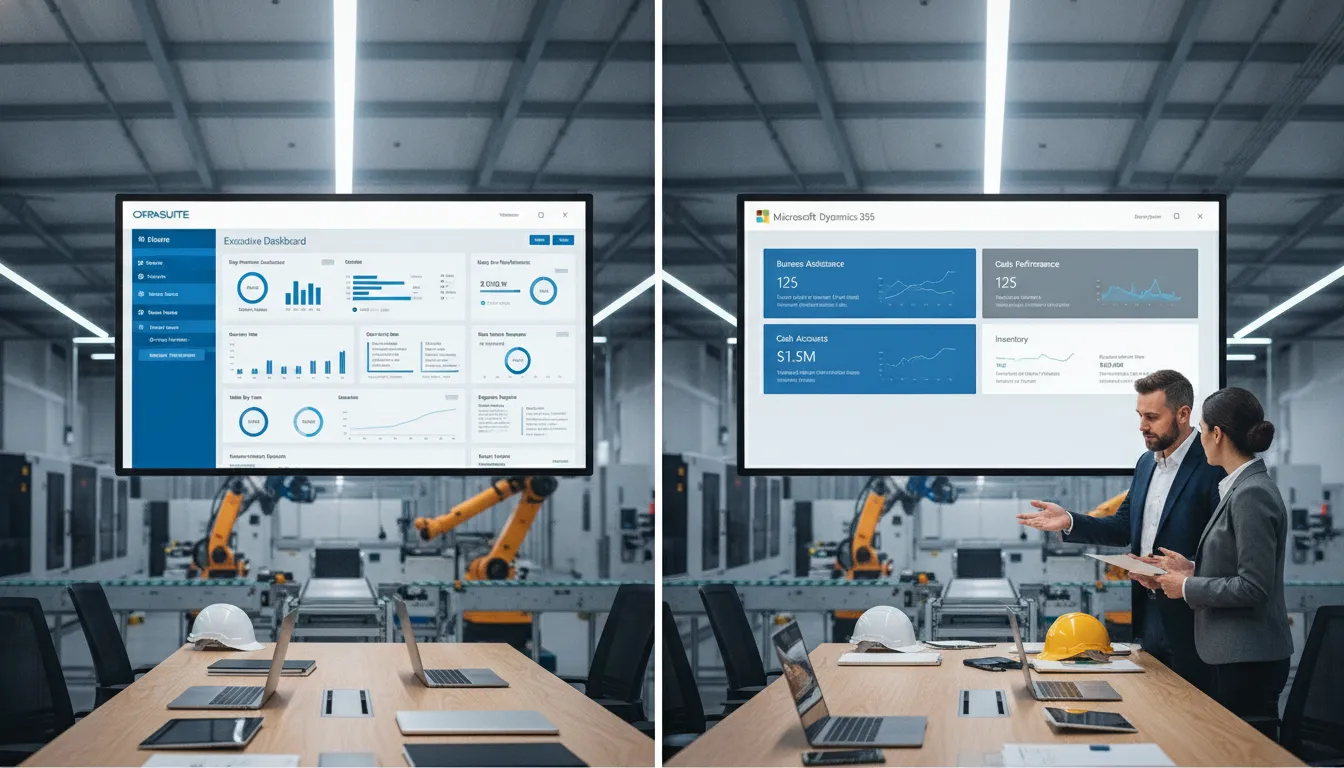
Choosing the wrong ERP can stall a manufacturing plant’s growth for years. Mid-market firms need a system that connects floor data with finance reports. This choice ensures your team can scale without losing stock visibility. The NetSuite vs Business Central for manufacturing debate centers on how each platform handles complex needs, from shop floor work to global multi-site finance reports. Microsoft Dynamics 365 Business Central offers a low-cost, automated system that works with Microsoft apps, while NetSuite provides deep tools for stock and multi-site growth. Many manufacturers prefer Business Central for its ease of use and steady fees, but NetSuite is often the choice for firms needing more room to grow. Both platforms use service-based setups that stay flexible and low-cost as you scale your shop floor, according to NIST research. Finding the best fit requires a fair look at your daily tasks, and Streams Solutions provides the expert advice you need to launch a helpful system.
Understanding the Manufacturing ERP Landscape
Mid-market manufacturers face a unique set of ERP challenges. They have outgrown entry-level accounting software but lack the IT staff of an enterprise. Production control requires tracking raw materials, work-in-progress, and finished goods across multiple locations with varying tax and compliance rules. Supply chain visibility must extend to supplier lead times, vendor quality scores, and freight costs. Financial management needs to handle complex cost accounting, including standard costing, actual costing, and job costing across different product lines. The NIST Smart Manufacturing program emphasizes that service-oriented architectures make manufacturing systems more flexible and cost-effective than traditional monolithic ERP deployments. Cloud-based ERP platforms like NetSuite and Business Central align with this model by offering modular, configurable solutions that manufacturers can adapt as their operations evolve. The cloud deployment model also eliminates the need for on-premise hardware upgrades, reducing IT overhead. For manufacturers evaluating their options, the NetSuite vs Business Central for manufacturing decision typically narrows to a few key differentiators: global readiness versus regional focus. Depth of built-in functionality versus extensibility through integration, and upfront cost versus long-term total cost of ownership. Understanding these trade-offs is essential before committing to a platform.
Oracle NetSuite for Manufacturing: Core Capabilities
Oracle NetSuite has led the cloud ERP world since 1998. It now serves firms in more than 215 countries. Oracle NetSuite services for manufacturing give makers a full set of tools on one site. This helps teams manage every part of their work in one place. NetSuite is known for its many tools and ease of growth. It lets firms add new parts as they scale up. When you look at NetSuite vs Business Central for manufacturing, NetSuite’s deep tools stand out for large firms.
Stock Tracking and Shop Floor Control
Managing parts and finished goods is key for any shop. NetSuite provides a live view of stock across all sites. This allows mid-market firms to use NetSuite ERP for manufacturing to join stock across many spots. You can track items from the time they arrive until they ship to a buyer. The system uses smart tools to help you plan what to buy and when. This cuts waste and keeps your shop lines moving fast.
Modern plants need to be fast to stay ahead. The use of cloud tools lets you build flexible manufacturing systems that bring new products to market quickly. NetSuite’s cloud model makes it easy to change your shop floor setups. You can adjust to new orders without slow IT work. This speed is a big win for firms in fast-paced markets.
Global Work and Money Tracking
Many makers today sell to buyers around the world. NetSuite is great for global work for firms with many units. It handles different coins and tax rules with ease. You can see your full money health in one view. The platform also offers SuiteBilling. This tool makes repeat bills simple to handle.
Large firms need a system that can grow with them. NetSuite is easy to change, which means you can tweak it to fit your exact needs. You can build custom flows or add extra apps to the main suite. This flex makes it a top choice for firms with unique shop floor needs. While it is a deep tool, this power is why many large makers use it.
Supply Chain and Web Store Tools
A smooth supply chain is the heart of a good factory. NetSuite’s buying tools help you find the best vendors and prices. It handles your buy orders to save time. You can also use SuiteCommerce to sell your goods online. This links your web store to your stock and shop data. It removes the need to type data twice into other systems.
Setting up a new ERP can be a big task. NetSuite often offers a lower start cost compared to other large systems. This helps you see value from your spend sooner. You can start with the main tools you need and add more later.
Dynamics 365 Business Central for Manufacturing: Key Features
Microsoft Dynamics 365 Business Central gives mid-market firms a flexible tool to manage growth. It uses a cloud model to help you stay agile when market needs shift. This setup follows NIST standards for smart systems. These rules show that service-based tools are often less costly than old, rigid software. With this platform, you can oversee your shop floor and supply chain in one place.
Core production and planning
The system is strong at planning work and shop floor control. You can track goods through each stage of the work cycle. This helps you keep a clear view of your output and lead times. If you need help with these tools, our Dynamics 365 consulting services can lead the way. The tool makes it easy to handle parts lists and work orders without a long learning period.
Automation is a big part of how this system works. Business Central is known for high usability and automation compared to other big suites. This means your team spends less time on data tasks. You can set up quick alerts for low stock or new demand. This keeps your line moving so you do not run out of raw parts.
Inventory and supply chain tools
Managing stock across many sites is a key goal for firms that scale. Business Central gives a live view of your stock at all times. This is vital for Business Central financial management because it ties your goods to your books. You can see where your parts are and what they cost right now.
The platform also uses an integration-first path. Unlike some suites, it links well with the Microsoft Power Platform. This lets you build custom apps that fit your own factory needs. It is a simple way to grow your ERP without high costs. Most users find that steady fees make the system a good value over a long time.
Pricing and cost factors
For most mid-market teams, the price is a top concern. Business Central costs often range from about £57.50 to £82.20 per user each month. This clear cost plan helps you set your budget with no surprises. The system is built to grow with you. You can add new tools or users as your firm gets larger. It is a smart pick for teams that want a tool that is both simple and strong.
NetSuite vs Business Central for Manufacturing: A Head-to-Head Comparison
Choosing an ERP system is a vital step for any manufacturing firm. Both Oracle NetSuite and Microsoft Dynamics 365 Business Central offer strong tools for shop floor control and supply chain planning. While both platforms cover about 99% of what most businesses need, the final 1% of features often determines the best fit for your shop. At Streams Solutions, our tri-platform expertise helps you find that 1% gap to ensure a smooth transition and lasting value.
Core manufacturing and supply chain tools
Manufacturers often need to consolidate inventory across multiple locations to stay lean. NetSuite uses a unified suite model that offers deep visibility into global supply chains. It excels at global work for companies that operate in many countries. In contrast, Business Central uses an integration-first approach that connects easily with other Microsoft tools. This setup allows for great automation and ease of use on the shop floor.
Smart manufacturing relies on shared standards to work well. According to the National Institute of Standards and Technology (NIST), achieving interoperability in smart plants requires shared reference models for all services. Both ERPs support these goals by offering service-oriented setups. These systems are more flexible and cost less to run than old, heavy software models that do not talk to other tools.
Functional comparison for plant operations
NetSuite is highly extensible and full of features, which makes it a good fit for complex production routes. Business Central is often seen as a simpler and more cost-effective choice for firms that want to start fast and stay agile.
| Feature | Oracle NetSuite | Dynamics 365 Business Central |
|---|---|---|
| Deployment Model | Native Cloud (Multi-tenant) | Cloud, Hybrid, or On-premise |
| Global Readiness | Built for multi-entity and 215+ countries | Regional focus with localizations |
| Integration Style | Unified suite (Built-in) | Best-of-breed (Microsoft ecosystem) |
| User Experience | Deep, feature-rich interface | Modern, familiar Office-style UI |
| Manufacturing Depth | Complex routing and global planning | Lean production and agile automation |
Integration and long term flexibility
The choice between these two platforms often comes down to your current tech stack. If you use Microsoft 365, our Dynamics 365 consulting services can help you use those tools to lower your training costs. Business Central is known for providing better automation and usability in those cases. However, if you need a lower initial cost for a global rollout, NetSuite might be the right path. We guide you through both options to ensure your ERP choice supports your growth for years to come.
Total Cost of Ownership: What Manufacturers Should Expect
Choosing an ERP system is about more than just the first price tag. Manufacturers must look at the total cost of ownership (TCO) over many years. This includes license fees, setup costs, and support. While one tool might seem cheaper now, the long-term impact on your budget can change based on your needs.
Software subscription and licensing fees
NetSuite and Business Central use different price models that affect your monthly spend. Business Central often costs between £57.50 and £82.20 per user each month. This makes it a cost-effective choice for many firms over time. It offers steady fees that help companies plan their budgets with more ease.
NetSuite usually starts at £76 per user per month. It also has a base monthly fee of about £770. While the per-user cost is higher, NetSuite can offer lower first costs for some teams. Manufacturers should also plan for extra tools for warehouse work or advanced production. These add-ons can raise the total monthly price for both systems.
Setup and consulting costs
Setting up a new ERP is a big use of time and money. First costs include moving data, team training, and system setup. Manufacturers often need custom ways to track shop floor work or stock across many sites. These NetSuite capabilities for manufacturing are strong but need expert help to work well.
Streams Solutions helps firms lower these front-end costs with special tools. These tools can cut setup time by 40% to 60% compared to old ways. By using pre-built parts and paths, companies can get their systems live faster. This path lowers the total spend on help and cuts the risk of project lags.
Long term value and flexibility
The best ERP for your business is one that grows with you without adding too many costs. A flexible system lets you change how you work as your market moves. Based on data from the National Institute of Standards and Technology, service-based systems are often less costly and more flexible than older tools. This ease of change is key for firms that must adapt to new supply chain needs or ways of making goods.
Think about the cost of future changes, like adding a new plant or a new supplier. A system that is easy to update will have a lower TCO over five to ten years. By looking at both the first setup and the long-term fees, manufacturers can make a choice that helps them grow and stay in the black.
How to Choose the Right ERP for Your Manufacturing Business
Choosing between NetSuite vs Business Central for manufacturing is a big step. You need a clear plan to find the best fit for your shop floor. At Streams Solutions, we use a set process to help you. This path builds on trust, working together, and your own goals to bring value. Since we work with both tools, we give fair advice based on what you need.
Find your manufacturing needs
Start by looking at how you build goods. Do you have many sites? Mid-market firms often use NetSuite features for manufacturing to track stock across many spots. You should list your must-have tools for planning and supply chain tracking. This helps you see which platform fits your work best.
Your team must also think about how systems link up — many face common ERP integration challenges during the selection process. Smart shops use service-oriented architectures to keep their tech flexible and low-cost. If your new ERP does not follow shared rules, you may face high costs later. You want a system that grows with you without needing complex fixes.
Look at the total cost
The price of an ERP is more than just the first check you write. You must look at the total cost of owning it over five years. NetSuite often has lower costs to start. But Business Central may be cheaper over time because of its steady fees. Think about how many people will use it and if you need extra parts for cost tracking.
You also need to plan for growth. Some tools charge more as your sales go up or you add new sites. A clear cost plan helps you avoid surprises in your budget later.
Pick a partner you trust
The right tech is only half of the win. You also need a partner who knows how to set it up for your specific work. Look for experts who value clear talk and “no surprises” help. A good partner will help you run a test to show how the system handles your real tasks and data.
- Check your work needs. Review your current path for stock and order tasks. See if you need the deep global reach of NetSuite or the simple tools in Business Central.
- Look at shop floor control. Make sure the system can track parts and labor costs in real time. The tool must be easy for your floor team to use every day.
- Plan your total costs. Build a five-year plan that lists license fees and support. This helps you see which tool fits your bank account as you grow.
- Review how tools link up. List all the software you use now, like your Salesforce for manufacturing CRM or pay tools. Pick an ERP that can link to these without hard custom code.
- Check partner skills. Find a firm that builds on trust and value. Verify they have deep Dynamics 365 consulting services and NetSuite skills.
- Run a live test. Ask for a demo that uses your own data. This shows how the system handles your parts, vendors, and shipping rules in real time.
- Set a clear roadmap. Once you pick a tool, set a path for the rollout. Focus on the most important goals first to get a win for your team fast.
Frequently Asked Questions
Is NetSuite or Business Central better for manufacturing?
Both systems work well for firms that make goods. The right choice depends on your size and goals. NetSuite is a strong fit for large teams that work in many countries. Business Central is a great pick for small to mid-sized firms that need a simple and cost-effective tool. As shown by TMC, NetSuite is good at global tasks while Business Central offers better automation.
Which ERP has lower implementation costs for manufacturers?
NetSuite often costs less at the very start of the project. But Business Central can be cheaper over many years because it has steady fees. As shown by TMC, Business Central is often more cost-effective for long-term use. You should look at the price for the first five years to see which one fits your budget best. This helps you avoid hidden costs.
Can these ERP systems manage multi-location inventory?
Yes. Both tools help mid-market firms track stock across many places at once. This is key for firms that need to fix their supply chain and see stock levels in real time. A cloud-based tool lets you see data from every plant or warehouse on one screen. This helps your team make fast choices and ensures you do not run out of parts for your products.
How does cloud technology improve manufacturing speed?
Cloud ERP tools use new tech to help you build and ship products faster. This allows you to change your work plans quickly to meet what your clients want. As shown by the NIST, these systems are more flexible and cost less than old software. This helps you stay agile and keep up with a fast market without spending too much money.
Ready to Choose Your Manufacturing ERP?
Sticking with an old ERP system costs your manufacturing factory more money every day in lost time, poor work, and missed sales. If you wait too long to update your tech, you risk falling behind your peers who are already using data to work much faster. Starting your shift now means you can gain full control of your shop floor and supply chain to grow your gains today. Our team will help you pick the right software and set it up so you can see real value in just a few months. We help you link your money and sales tools so you can stop doing manual work and focus on reaching your big goals.
Ready to schedule a free ERP consultation? Talk to an ERP expert today to set up your call and start now.