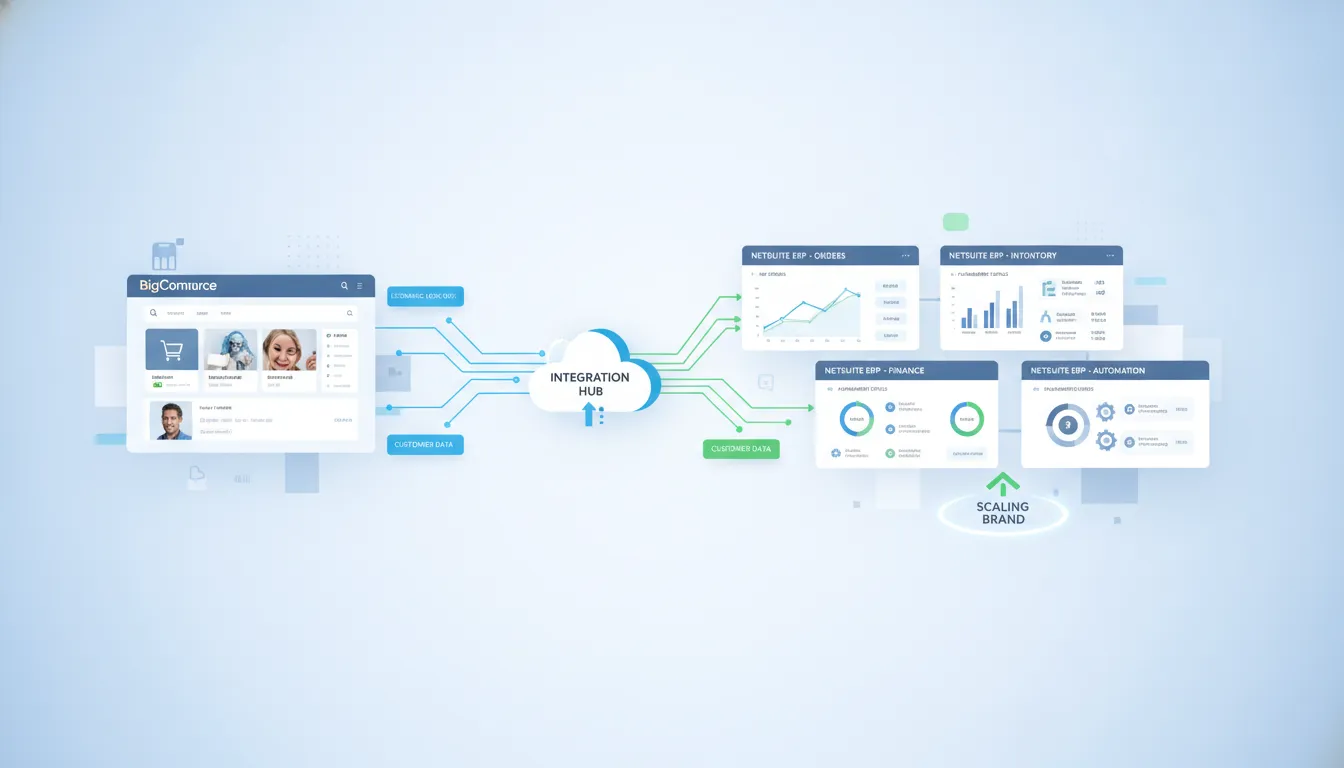
Manual order entry becomes an expensive bottleneck as ecommerce volume climbs. A reliable connection between BigCommerce and NetSuite keeps sales, inventory, fulfillment, and finance working from the same data.
Schedule a free consultation to review your BigCommerce NetSuite integration requirements with Streams Solutions.
BigCommerce NetSuite integration connects the storefront and ERP so product, customer, inventory, sales order, and fulfillment data can move between them without repeated manual entry. It gives ecommerce, operations, and finance teams a shared view of each transaction while automating key order-to-cash steps. According to NetSuite, ecommerce integration can update inventory, trigger fulfillment, and record the transaction in accounting when an online order arrives. Brands can use NetSuite Connector, middleware, or custom integration, but the right choice depends on volume, process complexity, sync speed, and governance needs. A sound design also defines error handling, data ownership, monitoring, and exception workflows before launch, preventing small sync failures from disrupting customers or financial reporting.
The main question is not whether the systems can connect, but how to build a connection that stays reliable as orders, channels, and processes multiply. BigCommerce NetSuite Integration: What Scaling Ecommerce Teams Need lays out the operating requirements that should guide each architecture decision. Here’s how:
BigCommerce NetSuite Integration: What Scaling Ecommerce Teams Need
BigCommerce NetSuite integration connects the online store with the ERP so both systems can share the data needed to process each sale. In simple terms, BigCommerce manages the shopping experience, while NetSuite manages the operational and financial work behind each order. The link keeps those roles aligned as order volume, product range, and sales channels grow.
The short answer: a well-planned integration moves sales and operations data between BigCommerce and NetSuite with little manual entry. It gives commerce, warehouse, finance, and service teams a shared view of each transaction. The result is a cleaner path from checkout through fulfillment and accounting.
The systems and their roles
BigCommerce remains the customer-facing system for the catalog, cart, checkout, promotions, and online account activity. NetSuite serves as the back-office system for orders, inventory, fulfillment, and financial records. This model follows the broader goal of keeping NetSuite ERP as the system of record while connecting commerce and supply chain tools.
The connection between them may use a connector, custom APIs, or an integration platform such as Boomi, Celigo, or Workato. The right method depends on order volume, custom business rules, other connected apps, and the team’s support needs. Reviewing NetSuite integration best practices helps teams define ownership before choosing the technical path.
Core data flows
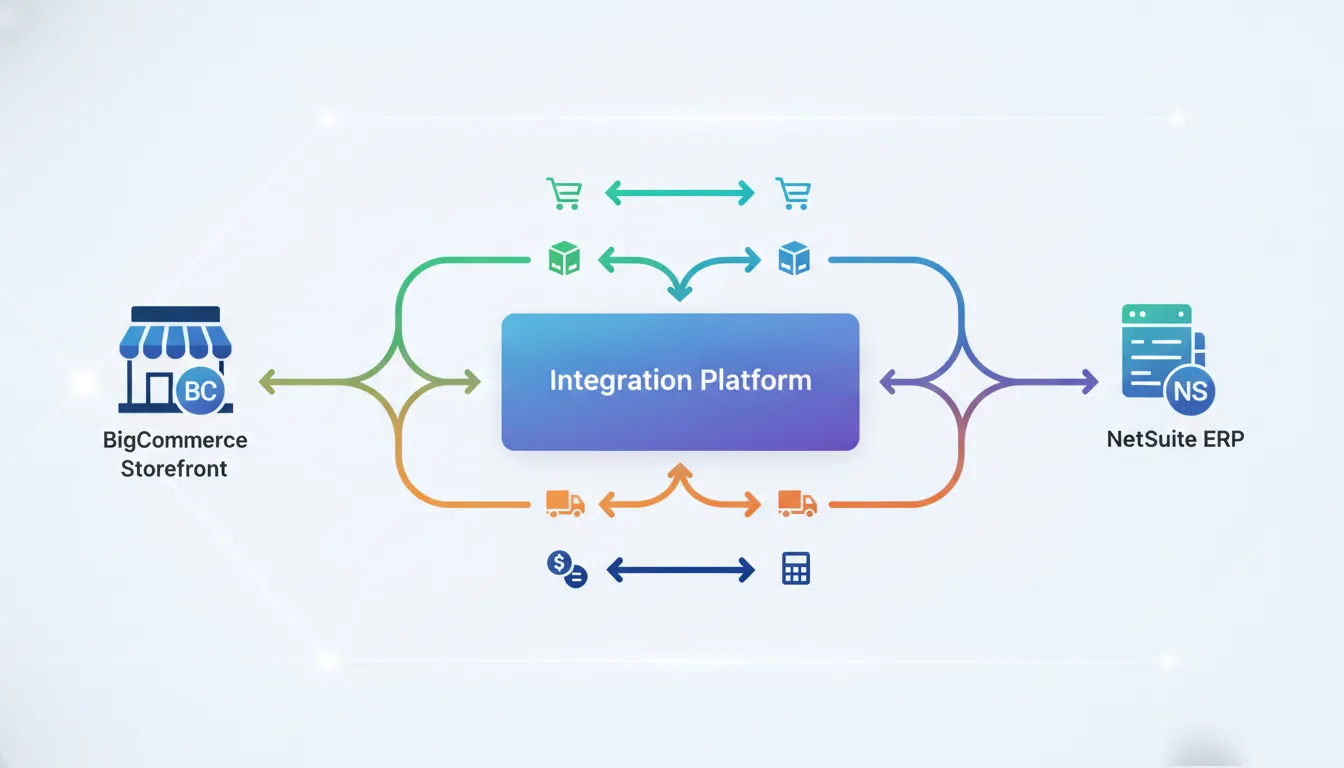
Most integrations send data in both directions, but each record needs a clear source of truth. For example, NetSuite may own inventory counts while BigCommerce displays available stock to shoppers. BigCommerce may capture an order, then send it to NetSuite for approval, fulfillment, and accounting.
- Products and pricing: Item details, SKUs, prices, and catalog updates move to the storefront.
- Inventory: Available quantities and stock changes move from the ERP to BigCommerce.
- Customers and orders: Buyer details, payments, taxes, discounts, and sales orders move into NetSuite.
- Fulfillment: Shipment status, tracking details, cancellations, and returns move back to the storefront.
Not every field should sync in both directions. Two-way updates without clear rules can cause duplicate records, overwritten values, or timing conflicts. Teams should map each field, name its owner, and set what happens when a record fails.
What changes as the business scales
At low order volume, staff may hide gaps with spreadsheets, exports, and manual checks. Those workarounds become harder to control as transactions and exceptions rise. A scalable design uses set workflows, error alerts, retry rules, and logs that make failed records easy to trace.
Scaling teams also need room to add channels, warehouses, payment tools, and shipping partners without rebuilding the core connection. That makes architecture as important as the first data sync. A guide to building scalable NetSuite integrations can help frame these long-term choices.
The practical goal is not to sync every possible field. It is to move the right data at the right time, with controls that keep teams informed. That foundation supports faster order handling, cleaner records, and more reliable customer updates as the business grows.
What Data Should Sync Between BigCommerce and NetSuite?
A BigCommerce NetSuite integration should sync products, customers, orders, inventory, fulfillment, taxes, payments, returns, and financial records when those records support order-to-cash accuracy. The source of truth should be defined for each field so BigCommerce runs the storefront while NetSuite protects operational and accounting data.
A BigCommerce NetSuite integration should move each record to the system that needs it, without creating duplicate sources of truth. BigCommerce usually owns the online shopping experience, while NetSuite manages core item, operations, and finance records. A clear field map and ownership plan are key NetSuite integration best practices.
Core commerce records
Start with the records needed to turn a placed order into accurate work for operations and finance. The sync should preserve important BigCommerce details while matching them to valid NetSuite records. Plan for both new records and later changes, such as an updated address or canceled order.
- Orders: Send order numbers, line items, quantities, discounts, shipping charges, status, and channel details into NetSuite.
- Customers: Match or create customer records using clear rules for guest buyers, company accounts, contacts, billing addresses, and shipping addresses.
- Products and items: Align BigCommerce products, variants, SKUs, bundles, and options with the correct NetSuite items and units.
- Pricing: Sync base prices, sale prices, customer-specific rates, price levels, and promotions from the chosen source of truth.
Inventory, fulfillment, and post-sale activity
Operational data must flow in both directions at the right time. According to NetSuite, ecommerce integration can update inventory, trigger fulfillment, and record accounting activity after an order. The design should also account for delays, failed records, and changes made after checkout.
- Inventory: Publish available stock by SKU and location, while protecting against overselling with agreed allocation and safety-stock rules.
- Taxes: Carry tax codes, calculated amounts, exemptions, and jurisdiction details into NetSuite for review and reporting.
- Fulfillment: Return shipment status, carrier, tracking number, shipped quantity, and partial-fulfillment details to BigCommerce.
- Returns: Connect return requests, received items, restocking decisions, refunds, and credit records across both systems.
- Payments: Send payment method, authorization, capture, settlement, refund, and fee details without exposing sensitive card data.
Financial reconciliation and sync controls
Finance needs more than an order total. NetSuite should receive enough detail to compare sales, discounts, tax, shipping, refunds, gateway fees, and payouts. These fields help teams trace differences from the storefront transaction through the bank deposit.
Define which system owns each field before building the flows. Then set the sync direction, timing, validation rules, and response to errors for every record type. For example, NetSuite may own inventory, while BigCommerce sends orders and receives fulfillment updates.
Reconciliation also needs stable IDs that link each BigCommerce order, payment, return, and refund to its NetSuite record. Dashboards or exception queues should surface missing records, mismatched totals, duplicate customers, and failed updates. This control layer makes the integration easier to audit as order volume and business rules grow.
Integration Methods: Connector, iPaaS, API, or Custom Build
Four core integration approaches
A BigCommerce NetSuite integration can use a packaged connector, an integration platform, custom code, or a mix of these methods. The right choice depends on workflow depth, change rate, internal skills, and long-term support needs.
NetSuite Connector SuiteApp offers a packaged route for common commerce flows. It can suit teams with standard order, item, inventory, and fulfillment needs. A packaged connector may shorten setup, but unusual pricing, returns, or multi-entity rules can require added work.
| Method | Best fit | Main advantages | Key tradeoffs |
|---|---|---|---|
| NetSuite Connector SuiteApp. | Standard commerce workflows. | Packaged mappings and simpler setup. | Less control over unusual rules. |
| iPaaS or middleware. | Several systems or changing flows. | Central monitoring and reusable flows. | License cost and platform skills. |
| Custom API or SuiteScript. | Unique, complex business logic. | Precise control over behavior. | More testing and upkeep. |
| Hybrid approach. | Standard core with select exceptions. | Balances speed and control. | Needs clear ownership and design. |
When iPaaS adds value
Third-party iPaaS tools such as Celigo, Boomi, and Workato manage data flows from a central layer. This model fits businesses that connect BigCommerce and NetSuite with tax, logistics, CRM, or support systems. Central monitoring can also make failed records easier to find and replay.
Middleware is useful when workflows will change as the business grows. NetSuite notes that companies use central integration platforms to coordinate data flow and keep records consistent. Teams should still assess connector limits, usage fees, mapping tools, error handling, and staff skills before selecting a platform.
An integration platform comparison can help teams weigh these tools against their current stack. The decision should reflect who will build, monitor, and change flows after launch.
Custom code and hybrid design
Custom APIs and SuiteScript fit rules that packaged tools cannot handle cleanly. Examples include complex order splits, special customer pricing, custom records, or approval logic. This route gives teams more control, but it also creates more code to test, secure, document, and maintain.
A hybrid design often offers a practical middle path. The connector or iPaaS handles common flows, while custom code manages only the exceptions. This limits custom work without forcing unusual rules into a rigid package.
Before choosing, map each data flow, its source of truth, timing needs, failure response, and owner. NetSuite describes ERP as the system of record for business data across connected applications. Clear ownership helps prevent duplicate updates and conflicting records, regardless of the method used.
Also compare update frequency, expected order peaks, retry needs, and audit rules. Ask vendors to show how each method handles a failed order or partial refund. A clear support model matters as much as the first build.
How to Implement a BigCommerce NetSuite Integration
To implement a BigCommerce NetSuite integration, start by documenting business rules, data ownership, and success measures. Then map fields, choose the architecture, build in a sandbox, test real exceptions, roll out in phases, and monitor failed records after launch. This keeps the project tied to operational outcomes.
A BigCommerce NetSuite integration should begin with business rules, not connector settings. Define what must move, when it must move, and which system owns each record. This groundwork keeps the project tied to order accuracy, timely fulfillment, and clean financial data.
Planning the integration
Start by documenting the current order journey from checkout through payment, fulfillment, returns, and accounting. Include the teams that handle each step. Their input often reveals manual work, special cases, and approval rules that a basic process map can miss.
Next, map each data object and field between the two platforms. Typical flows include products, customers, inventory, orders, taxes, shipping details, and fulfillment updates. For broader planning guidance, review these NetSuite integration best practices before selecting an architecture.
Decide whether a direct connector or an integration platform fits the expected volume and level of change. A central integration platform can coordinate data across several systems as the business grows. NetSuite describes this model as a way to connect ecommerce and other applications while keeping ERP as the system of record for business data.
A practical implementation sequence
The following roadmap turns the plan into a controlled launch. Assign an owner, expected result, and approval gate to every step. That structure makes decisions clear and prevents unresolved issues from moving into production.
-
Confirm scope and success measures. List required workflows, order channels, legal entities, currencies, and service targets. Separate launch needs from later enhancements.
-
Map data and ownership. Match fields, formats, identifiers, and status values. State whether BigCommerce, NetSuite, or another system creates and updates each record.
-
Select the architecture. Compare connector and integration platform options against volume, customization, support needs, and future channels. Document why the chosen model fits.
-
Build in a sandbox. Configure core flows without touching live orders. Use realistic product, customer, tax, shipping, discount, and return scenarios.
-
Test exceptions and recovery. Force errors such as missing items, invalid addresses, duplicate orders, and failed updates. Confirm alerts, retries, audit trails, and manual recovery steps.
-
Roll out in stages. Begin with a limited product set, channel, or order group. Compare results in both systems before expanding the release.
-
Monitor and improve. Track failed records, sync delays, inventory mismatches, and manual fixes. Review patterns often, then adjust mappings, rules, or capacity.
Controls for launch and ongoing support
Before launch, write a cutover plan with timing, owners, rollback criteria, and a clear support path. Freeze risky data changes during the cutover window. Reconcile orders, payments, inventory, and fulfillment records after the first live sync.
Exception handling needs equal attention. Give operations staff a simple queue that shows what failed, why it failed, and the next action. Set alerts by business impact so a delayed catalog update does not hide a blocked paid order.
After launch, hold regular reviews with ecommerce, operations, finance, and technical owners. Use actual exceptions to refine rules and training. The goal is not just a working connection. It is a stable process that remains clear as volume and business needs change.
Schedule a free consultation if your team needs help turning integration requirements into a phased BigCommerce and NetSuite rollout plan.
What Affects BigCommerce NetSuite Integration Cost and Timeline?
BigCommerce NetSuite integration cost and timeline depend on the connection method, workflow scope, data quality, custom rules, testing depth, and ongoing support model. A standard connector can move faster than a custom build, but complex returns, pricing, tax, warehouse, or multi-system needs can extend delivery.
A BigCommerce NetSuite integration has no useful one-size-fits-all price or schedule. Cost and timing depend on architecture, data quality, workflow depth, and the team’s ability to make quick decisions. A clear scope makes estimates more reliable and limits costly changes during delivery.
Architecture and scope
The first cost driver is the connection method. A packaged connector may require a subscription, setup work, and changes to fit existing processes. Middleware adds license and setup costs. Yet it can manage several connections from one place as the business grows. NetSuite describes this central approach in its guide to ecommerce integration.
Direct custom development can suit unusual workflows, yet it often needs more design, code, testing, and upkeep. The right choice depends on order volume, sales channels, data rules, and growth plans. An integration platform comparison can help teams weigh connector and middleware options before setting a budget.
Scope also changes the estimate. A basic order and inventory flow costs less than a design that handles products, customers, refunds, taxes, fulfillment, and several warehouses. Each custom approval, pricing rule, or exception adds mapping work and test cases.
Data readiness and testing
Clean data can shorten delivery. Duplicate customers, mixed product codes, missing fields, and unclear ownership slow mapping and raise the risk of failed records. Teams should decide which system owns each field before development starts. They also need rules for correcting bad data and handling sync errors.
Testing effort rises with workflow depth and business risk. A sound plan covers standard orders, partial shipments, cancellations, returns, failed payments, and traffic spikes. It should also test how inventory and accounting records change after each event. These checks protect workflows that update stock, trigger fulfillment, and record transactions.
- Connector or middleware subscription and setup.
- Custom mapping, scripts, and workflow development.
- Data cleanup, migration, and record ownership decisions.
- End-to-end testing, fixes, and user acceptance testing.
- Monitoring, support, upgrades, and future change requests.
Governance and long-term support
Project governance affects both speed and cost. A named business owner should approve scope and settle data questions. This owner should also gather feedback from finance, operations, and ecommerce teams. Slow decisions create idle time and repeated work. Clear acceptance rules keep the team focused on what must work at launch.
Ongoing support belongs in the budget from the start. BigCommerce, NetSuite, middleware, and business rules will change after launch. Monitoring, error alerts, documents, and a support owner help the integration remain stable. Planning for these needs follows sound NetSuite integration best practices.
A scaling brand should choose an architecture for its next stage, not only its current order flow. The cheapest initial path may cost more if every new channel requires custom work. A phased plan can launch key flows first. Teams can then add complex processes after the core connection proves stable.
Why Work With an Integration Partner Instead of Going It Alone?
An integration partner helps align BigCommerce, NetSuite, finance, operations, and customer data before technical work begins. That matters because connector setup alone will not resolve source-of-truth decisions, exception handling, reconciliation rules, support ownership, or future channel growth. The right partner reduces avoidable rework.
A BigCommerce NetSuite integration affects more than the connection between two systems. It shapes how sales, finance, warehouse, and service teams use shared data each day. An experienced partner helps these teams agree on the right workflows before technical work begins.
A plan built around the full business
A do-it-yourself project can focus too much on moving orders from one platform to another. Yet ecommerce integration may also update inventory, start fulfillment, and record accounting entries after an order. NetSuite explains how these connected ecommerce workflows support the wider business.
Streams Solutions brings experience across NetSuite, Microsoft Dynamics 365, and Salesforce. That tri-platform view matters when customer, order, or finance data must reach systems beyond BigCommerce. The team can map each data owner, exception, and handoff before selecting a connector or integration platform.
This planning step can expose gaps that a simple field map may miss. Teams need to decide what happens when stock changes during checkout. They must also set rules for taxes, discounts, refunds, and orders that require manual review. A partner keeps these choices tied to daily work and business goals.
Practical choices for complex integrations
There is no single right integration method for every company. A standard connector may suit a clear and stable process. A middleware platform such as Boomi, Celigo, or Workato may fit a business with several systems, custom rules, or plans for growth.
An integration partner can assess both the current workflow and the likely next phase. Streams Solutions uses a certified partner ecosystem across NetSuite, Microsoft, Salesforce, Boomi, Celigo, and Workato. This breadth supports a practical choice instead of forcing every project into one tool.
- Define which system owns products, customers, inventory, orders, and fulfillment data.
- Plan for failed records, duplicate data, returns, cancellations, and partial shipments.
- Set clear rules for monitoring, support, access, and future changes.
- Choose an architecture that can add channels without rebuilding the core flow.
These decisions help protect the project after launch. They also align with the principles behind building scalable NetSuite integrations. A partner can document the design and give internal teams a clear path for support.
Delivery with less avoidable rework
StreamsWay centers the work on trust, collaboration, communication, client goals, and value. In practice, that means checking process assumptions with the people who handle orders and finance. It also means testing real exceptions, not only the easiest transaction path.
Streams Solutions also uses proprietary accelerators for common integration and automation work. Its knowledge base reports that these tools can speed implementation by 40% to 60% compared with standard approaches. That range is not a guarantee. Timing still depends on scope, data quality, custom rules, and team readiness.
A partner also helps teams compare tools without losing sight of operating needs. A useful integration platform comparison should weigh support, control, scale, and maintenance. The goal is a dependable design that staff can run and improve as the business changes.
Frequently Asked Questions
Does NetSuite integrate with BigCommerce?
Yes. NetSuite can integrate with BigCommerce through NetSuite Connector, third-party middleware, or a custom API connection. A configured integration moves store data into the ERP and sends selected ERP updates back to BigCommerce. NetSuite’s integration platform supports connections between ecommerce applications and NetSuite ERP as the business system of record.
What data is synced between BigCommerce and NetSuite?
A BigCommerce NetSuite integration commonly syncs products, customers, inventory availability, sales orders, and fulfillment details. Depending on business rules, it may also exchange pricing, refunds, cancellations, taxes, and financial records. The exact direction and timing should be defined for each data type. As NetSuite explains, ecommerce integration can update inventory, trigger fulfillment, and record transactions in accounting systems.
What are the common methods for BigCommerce NetSuite integration?
Common methods include NetSuite Connector, a third-party integration platform, or a custom API integration. A packaged connector suits standard workflows, while middleware supports more systems, stores, and business rules. Custom development offers precise control but requires ongoing technical ownership. NetSuite notes that many businesses use middleware to coordinate data flows and maintain consistency as they grow.
How much does the NetSuite Connector for BigCommerce cost?
NetSuite Connector pricing for BigCommerce depends on licensing, implementation scope, transaction volume, custom mappings, and support needs. The total cost may include recurring software fees plus one-time setup, testing, and migration work. Businesses should request a current quote and compare the full ownership cost across options. Include monitoring, error handling, upgrades, and future store or channel additions in that comparison.
Ready to Plan Your BigCommerce NetSuite Integration?
Leaving BigCommerce and NetSuite disconnected keeps your team managing order, inventory, and financial data across separate workflows. As sales volume grows, those gaps can consume more staff time, slow decisions, and make every future integration change harder to plan. Starting now gives your team time to define requirements, resolve process questions, and build a practical rollout plan before operational pressure increases.
Ready to replace disconnected workflows with an integration plan built around your operations? Schedule a free consultation with Streams Solutions to discuss priorities, technical requirements, and a realistic path to launch. Bring your current process questions, system concerns, and growth plans. This helps the conversation focus on practical next steps for your team.