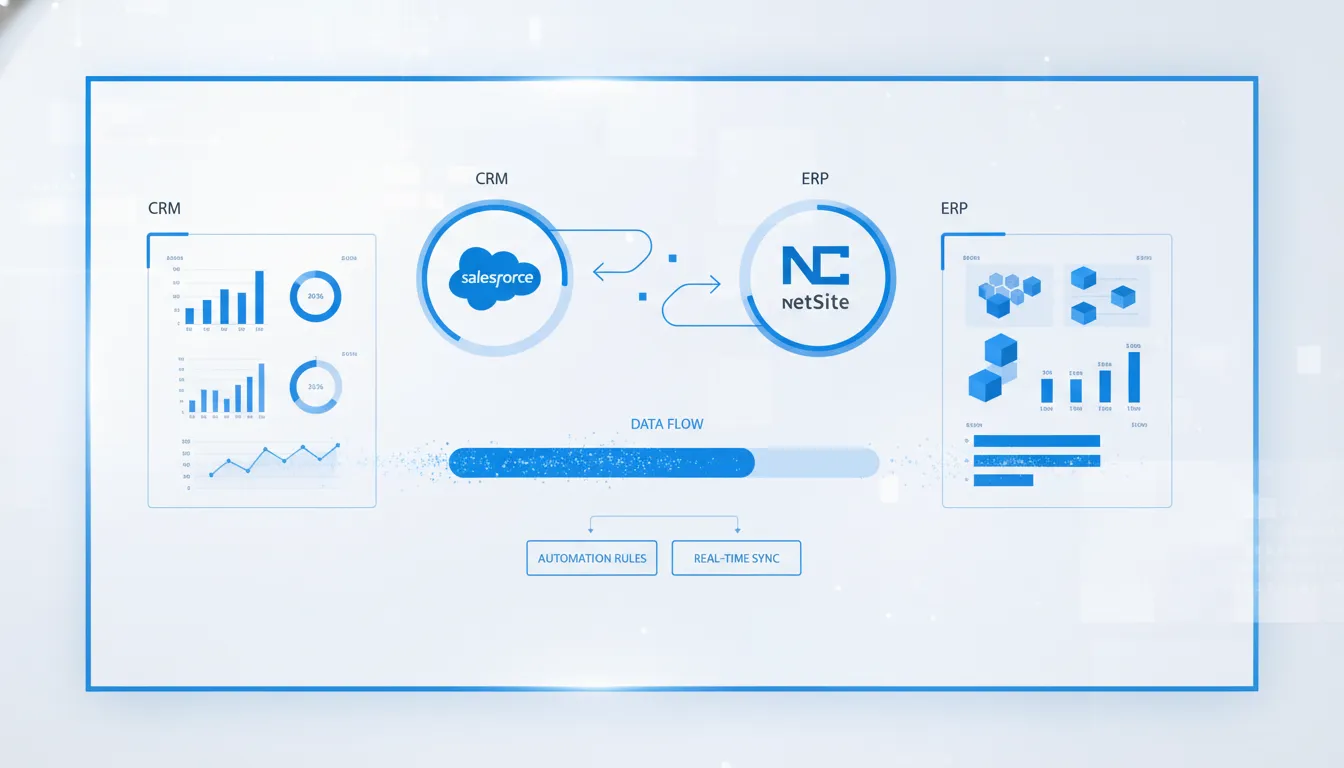
Your integration choice decides whether sales and finance share clean data or chase errors. A connector favors proven speed and lower upkeep, while custom code favors control over specialized workflows.
The NetSuite Salesforce connector is usually the right choice when standard order-to-cash workflows matter more than complete control over every data movement. A pre-built connector supplies tested mappings, monitoring, and reusable logic, which can lower delivery risk and ongoing maintenance for common processes as operations scale. Streams Solutions reports that its proprietary accelerators can reduce implementation time by 40-60%, making a connector attractive when speed and predictability lead the decision. Custom integration fits better when unique approvals, complex data rules, or strict architecture requirements cannot be handled through connector configuration without awkward workarounds. The best fit depends on workflow complexity, internal technical capacity, timeline, and the cost of maintaining exceptions after launch or business changes.
The decision is not simply packaged software versus code; it shows which process differences create value and which create needless upkeep. What a NetSuite Salesforce connector actually solves makes the trade-off clearer for your team. The path now begins with
What a NetSuite Salesforce connector actually solves
A NetSuite Salesforce connector creates a controlled data bridge between the customer relationship management system and the enterprise resource planning system. It moves agreed records between Salesforce and NetSuite based on set rules, timing, and ownership. The goal is one reliable handoff between sales activity and finance operations.
A shared view of commercial data
Salesforce usually holds leads, opportunities, quotes, and account activity. NetSuite usually holds orders, invoices, payments, inventory, and other financial records. A connector maps the matching fields and keeps selected data in sync, so teams do not need to rekey the same information.
This role goes beyond copying every field in both directions. The design must decide which system owns each record, what triggers a sync, and how errors are handled. An integration platform can help apply these reusable rules when Salesforce is integrated through an integration platform.
Cleaner order-to-cash handoffs
The clearest use case begins when sales closes an opportunity. The connector can pass an approved customer, quote, or order into NetSuite for fulfillment and billing. It can then return order status, invoice details, and payment visibility to Salesforce for the account team.
This flow reduces gaps between what sales promised and what finance can process. It also gives each team useful context without forcing everyone to work in both systems. The Salesforce NetSuite Accelerator page shows how a Boomi-based approach supports this order-to-cash flow.
- Sales can see fulfillment, invoice, and payment status while managing the customer relationship.
- Finance receives cleaner customer and order data without relying on email or manual entry.
- Operations can trace failed handoffs and fix exceptions before they delay downstream work.
The connector-versus-custom decision
A connector solves a common integration pattern with ready-built mappings, workflows, and monitoring. A custom integration uses APIs and code to meet requirements that a standard connector cannot cover. Both can sync Salesforce and NetSuite, but they differ in fit, control, upkeep, and change risk.
That choice is the focus here. A general NetSuite Salesforce integration guide explains why connected systems matter. Commercial buyers also need to know when a connector fits, when custom work is justified, and which tradeoffs affect long-term ownership.
The right question is not whether data can move between the platforms. It is whether the chosen method can support real workflows, clear ownership, error recovery, and future change without adding avoidable burden.
NetSuite Salesforce connector vs custom integration at a glance
Choosing an integration path starts with the business process, not the tool. The right choice depends on data flows, control needs, budget limits, and the team’s ability to support changes. An academic case study describes integration as a way to streamline expense work and improve operational efficiency.
Three integration paths
A prebuilt NetSuite Salesforce connector or accelerator uses defined flows and can be adapted within set limits. An iPaaS approach uses a platform to configure flows across the two systems. A fully custom integration gives developers direct control over logic, but it also places more support work on the business.
| Decision factor. | Prebuilt connector or accelerator. | Configured iPaaS integration. | Fully custom integration. |
|---|---|---|---|
| Speed. | Often the fastest when standard flows fit. | Moderate, based on mapping and workflow scope. | Usually slower due to design, build, and test work. |
| Flexibility. | Strong within supported flows and settings. | High for configured workflows and added systems. | Highest for unique rules and edge cases. |
| Governance. | Defined controls and a clearer operating model. | Needs platform standards, access rules, and flow ownership. | Needs full code, security, and release controls. |
| Cost predictability. | Often easier to estimate when scope stays standard. | Varies with platform fees, flow count, and complexity. | Harder to forecast as requirements and upkeep change. |
| Maintenance. | Updates may be supported by the connector provider. | Internal teams or a partner maintain configured flows. | The business owns code fixes, tests, and platform changes. |
| Best fit. | Common CRM-to-ERP flows with limited exceptions. | Several systems or workflows that need managed flexibility. | Unique processes that cannot fit supported patterns. |
The table is a starting point, not a final architecture decision. For example, Streams Solutions’ Salesforce NetSuite Accelerator supports a defined order-to-cash use case. That may reduce design work when its supported flow matches the business process.
How to narrow the choice
Start by listing the records that must move, their system of record, and the events that trigger each flow. Then note approval steps, error handling, security roles, reporting needs, and expected changes. This process exposes whether the work fits a repeatable connector pattern or needs more control.
A connector is often a sound first choice when requirements are common and teams value a clear support model. An iPaaS setup can suit businesses that need several managed flows without owning a full custom codebase. Custom work is easier to justify when a key process cannot fit supported patterns.
Governance before build
Whichever route you choose, assign owners for data, integration operations, and business approvals before development starts. Define how the team will review failures, test updates, and approve new fields. Guidance on NetSuite-centric integrations can help frame those choices around future scale.
The lowest initial quote is not always the most predictable option. Compare each path across implementation effort, platform fees, support ownership, and likely change requests. A clear operating model helps CFO, IT, and RevOps leaders judge the full trade-off rather than price alone.
When a connector fits your process best
A NetSuite Salesforce connector is usually the right path when your process follows common patterns. It works best when teams need a stable link without owning custom code. The key question is whether your data and rules are predictable enough for a repeatable design.
Standard data and repeatable flows
Start by looking at the records that must move between the systems. A connector fits well when accounts, contacts, opportunities, sales orders, invoices, and payments use mostly standard fields. Clear ownership also matters. Each record should have one agreed system of record.
Order-to-cash is a strong connector use case because its stages often follow a set path. Salesforce can manage the sales process, while NetSuite supports orders, billing, and finance work. A USC-hosted integration overview also shows how connected business systems can support expense and invoice processes.
- Data moves on a known schedule or after a clear event.
- Field mappings stay consistent across teams and business units.
- Errors can follow set rules for alerts, review, and retry.
- Most needs can be met through configuration instead of new code.
Predictable scope and lower upkeep
A connector is also a good fit when speed and simple upkeep matter more than a highly tailored design. Reusable mappings and tested process patterns reduce the amount of new logic a team must define. They also make the integration easier to explain, test, and support after launch.
The Salesforce NetSuite Accelerator is designed for a repeatable order-to-cash process. That approach can suit teams with clear requirements and limited exceptions. It also gives owners a known base for future changes instead of a large custom code set.
- Your team wants a faster path to a working integration.
- Internal IT has limited time for custom integration support.
- Process changes are planned, reviewed, and kept within a clear scope.
- The business prefers known settings over code built from the ground up.
Reliable visibility across teams
Choose a connector when sales and finance need the same current view of customer activity. Shared records can reduce manual handoffs and help teams catch missing or mismatched data sooner. Leaders can then review pipeline, orders, billing, and payment status with fewer gaps between systems.
This fit depends on process discipline, not just software. Teams should agree on record ownership, sync timing, access, and error handling before setup begins. Streams Solutions’ Salesforce services can help align CRM needs with the wider finance and operations process.
A connector may still need configuration, but its core job should remain easy to state. If every customer, product, or order needs unique logic, a custom path may deserve closer review. When the process is stable and repeatable, a connector often offers the clearer operating model.
When custom integration is worth considering
Custom integration is worth considering when a core business process cannot fit a connector’s configurable patterns. A NetSuite Salesforce connector may still handle standard records while custom logic covers the true exceptions. The key question is whether those exceptions create enough business value to justify their added care.
Processes that do not fit standard patterns
An unusual data model is a strong reason to assess custom work. A business may use custom objects, layered account structures, or industry-specific records that lack a clear match across systems. Complex billing may also need rules that a standard field map cannot express.
Some workflows cross more than two platforms. Expense processing is one example that may need its own path. A USC-hosted overview explains how Concur and Salesforce integration can support broader operations. The same design question applies when NetSuite must also receive approved financial data.
- Industry workflows require special approvals, records, or audit steps.
- Acquisitions leave several data models, account rules, and legacy systems in place.
- High transaction volumes create timing, retry, or edge-case needs beyond standard settings.
- Custom governance requires strict ownership, access, retention, or approval controls.
A hybrid design for controlled exceptions
Choosing custom logic does not require replacing every pre-built flow. A hybrid design can use a connector for common sync tasks and reserve code for high-value exceptions. For example, the Salesforce NetSuite Accelerator can support repeatable order-to-cash flows while a separate service handles a unique billing rule.
This split reduces the amount of code the business must own. It also gives teams a clear boundary between configured processes and custom behavior. That boundary matters during testing, release planning, and platform updates because each change has an obvious owner.
Evidence before custom development
Start with process evidence, not a preference for code. Map the records, rules, exception rates, and control needs that the integration must support. Then test whether configuration, middleware, or a pre-built connector can meet them without forcing staff into manual workarounds.
If gaps remain, define custom scope around those gaps. Include error handling, monitoring, security, test coverage, and change ownership in the design. A broader plan for NetSuite-centric integrations can also help teams judge how the custom path will scale beyond the first release.
How do you choose the right integration path?
Decision criteria
Start with the business process, not the software label. A NetSuite Salesforce connector often fits standard data flows and common order-to-cash needs. Custom work may fit when rules, objects, or controls differ from what a connector supports.
The choice should reflect total ownership, not just launch cost. Review the data model, failure risks, security needs, future changes, and support plan. The broader guide to NetSuite Salesforce integration can help teams frame the business case before comparing designs.
Seven-step assessment
-
Name the source of truth. Decide which system owns each key record and field. Set clear rules for customer, product, price, order, invoice, and payment data before discussing sync direction.
-
Map objects and business rules. Compare required fields, record links, validation rules, and timing needs. Then mark which mappings are standard and which need custom logic or data cleanup.
-
Design for exceptions. List likely failures, such as missing IDs, invalid values, duplicate records, or delayed updates. Define alerts, retry rules, correction steps, and the person responsible for each issue.
-
Check security and compliance. Document sensitive fields, access roles, audit needs, and data retention rules. Confirm that the chosen path supports those controls without relying on hidden manual steps.
-
Plan for change. Ask how new fields, products, workflows, and platform updates will affect the integration. A connector should offer enough setup options, while custom code needs a tested release process.
-
Set the support model. Name who monitors jobs, reviews alerts, fixes data, and approves changes. Compare vendor support and service terms with the staff, skills, and response times custom work requires.
-
Run a focused proof of concept. Test one high-value flow with real sample data, expected failures, and measurable acceptance rules. A USC-hosted integration overview also uses practical expense and invoice processes to frame an integration case.
Proof and ownership
Use the proof of concept to test more than a successful sync. Check error visibility, reconciliation, user steps, and the effort needed to change a mapping. Include finance, sales operations, IT, and compliance owners in the review.
A connector is usually the stronger choice when its standard flows meet the mapped needs and its support model fits the team. Custom integration is easier to defend when a required rule cannot be configured safely. For common order-to-cash needs, review the Salesforce NetSuite Accelerator against the same acceptance rules.
What risks should you plan for before implementation?
A NetSuite Salesforce connector can reduce manual work, but it cannot fix unclear process rules. Before configuration starts, teams should agree on data ownership, error handling, security, and support. A no-surprises approach makes those choices visible before they affect live orders or financial records.
Data ownership and mapping
Start by naming the source of truth for each shared record and field. Salesforce may own leads and opportunities, while NetSuite may own invoices and payment status. Without clear rules, both systems can overwrite valid data or create duplicate customers.
- Define matching rules for accounts, contacts, products, and addresses.
- Document every mapped field, format change, required value, and default.
- Decide which system wins when the same value changes in both places.
- Test how inactive, merged, and duplicate records move through the sync.
Mapping reviews should include sales, finance, operations, and IT. Each group sees different gaps and may use the same field in a different way. Research on CRM integration notes that reusable automation often relies on an integration platform, which also needs clear data rules.
Finance controls and failed syncs
Order-to-cash handoffs need more care than a simple account sync. Tax codes, currencies, discounts, billing schedules, and revenue rules can change how NetSuite accepts a Salesforce order. Teams should test both common transactions and unusual cases before go-live.
Plan for API limits, timeouts, missing values, and partial failures. A retry must not create a second order or send stale data. The support team also needs a clear queue, useful error messages, and a safe process for replaying failed records.
A pre-built connector may provide useful controls, but its standard flow still needs to match the business process. Review the Salesforce NetSuite Accelerator alongside your own order, billing, and exception paths. This review shows where configuration is enough and where added logic is needed.
Security and life after go-live
Use the least access needed for every integration account. Keep credentials out of scripts, limit access to sensitive fields, and record key sync events. Security reviews should also cover who can change mappings, schedules, and connection settings.
- Name an owner for business rules, technical support, and finance checks.
- Set alerts for failed jobs, slow queues, and unexpected record volume.
- Document release steps for Salesforce, NetSuite, and connector changes.
- Schedule checks for access, field mappings, and recurring errors.
Ownership after go-live matters because both platforms keep changing. A no-surprises implementation includes operating guides, training, and an agreed path for support. It also sets clear approval points, so changes do not quietly break a working sync.
Why Streams evaluates the process before the tool
Choosing a NetSuite Salesforce connector starts with the work that must move between teams, not a product list. Streams maps that work before recommending a connector, an iPaaS flow, or custom code. This approach keeps the technical design tied to the business process it must support.
The review also looks beyond a single platform. Streams brings experience with NetSuite, Salesforce, and Microsoft Dynamics 365, so each system can be assessed in context. Its Oracle NetSuite services cover the ERP side while the team also considers CRM rules, data ownership, and downstream needs.
A process map before a product choice
Streams first traces how a record moves from one role and system to the next. That map shows where data starts, who approves it, and what should happen after a sync. It can also expose manual steps that a connector alone would not fix.
- Define the source system for each key record.
- List approvals, exceptions, and timing needs.
- Set rules for errors, retries, and duplicate data.
- Include reporting and audit needs in the design.
This wider view matters because integrations often touch tools beyond the core ERP and CRM. A USC-hosted review of Concur and Salesforce integration shows how expense and invoice workflows can also shape the plan. Streams uses the same process lens to account for connected systems before selecting the integration method.
Platform fit and integration method
After the process is clear, Streams evaluates the right technical path. The available choices may include Boomi, Celigo, Azure Data Factory, a pre-built connector, or custom APIs. The choice depends on the data flow, control needs, expected changes, and support model.
A standard order-to-cash flow may fit a reusable accelerator. Streams’ Salesforce NetSuite Accelerator provides a Boomi-based starting point for that type of integration. A process with uncommon rules may need a different iPaaS design or focused custom work instead.
Multi-platform experience helps the team test assumptions on both sides of the connection. For example, a Salesforce field change can affect NetSuite posting, reporting, or approval logic. Looking at both platforms reduces the risk of solving one team’s problem by creating another team’s manual task.
StreamsWay and shared decisions
The StreamsWay method centers the engagement on trust, collaboration, communication, client goals, and value. In practice, that means business and technical owners take part in early design choices. They can agree on scope, trade-offs, and ownership before build work starts.
This process-first review does not assume that one connector is right for every company. It gives stakeholders a clear reason for each design choice and a shared view of how the integration should work. That foundation also helps teams plan testing, support, and future changes before they become urgent.
Frequently Asked Questions
How do I set up a NetSuite Salesforce connector?
To set up a NetSuite Salesforce connector, first define which system owns each record and field. Next, map the required objects, choose sync triggers, assign access roles, and document error handling. Test one high-value flow with realistic data and expected failures before expanding the integration, then assign owners for monitoring and future changes.
Can I integrate Salesforce and NetSuite using REST API?
Yes, Salesforce and NetSuite can be integrated through REST APIs when a business needs direct control over data movements and custom logic. This route requires developers to design authentication, mappings, retries, monitoring, security, and tests. A REST API integration is most appropriate when connector settings cannot safely handle a required process and the business can maintain the code through platform changes.
Do I need a third-party connector to sync Salesforce and NetSuite?
No, a third-party connector is not required to sync Salesforce and NetSuite because teams can build direct API integrations or use an iPaaS. However, connectors often reduce new development and provide reusable mappings, monitoring, and support for common workflows. Streams Solutions reports that its proprietary accelerators can reduce implementation time by 40-60%. Choose based on process fit, control needs, internal skills, and long-term maintenance capacity.
Ready to Choose the Right Salesforce NetSuite Path?
Delaying the decision leaves teams managing duplicate data, manual handoffs, and integration questions that can become harder to resolve as processes change. As workarounds grow, leaders may spend more time correcting errors instead of building a clear, maintainable path between Salesforce and NetSuite. Starting now gives your team time to document requirements, compare trade-offs, and choose an approach before another urgent business need forces a rushed decision.
Ready to choose a practical integration path that fits your current process and future plans? Schedule a free consultation to discuss your requirements, risks, and next steps with Streams Solutions. Bring your process priorities, known pain points, and timing goals to make the conversation productive.