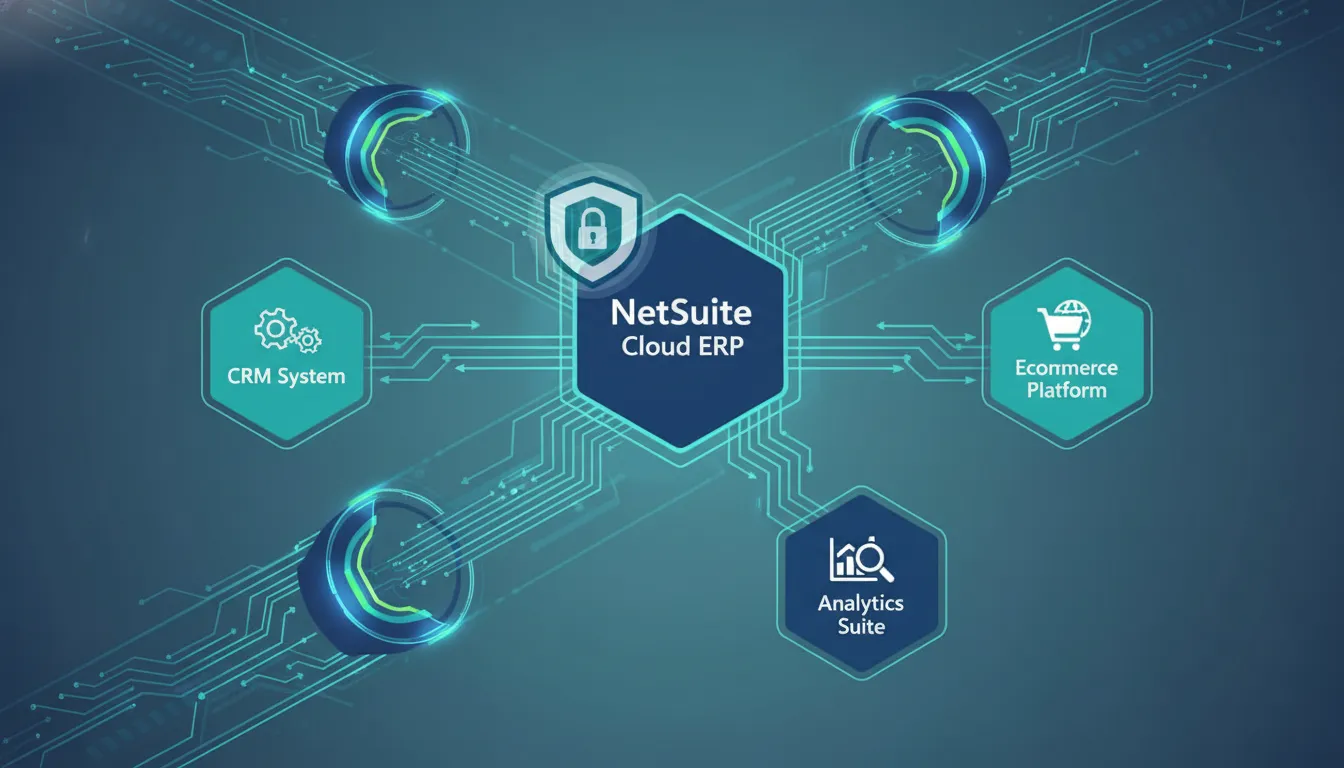
Disconnected ERP, CRM, ecommerce, and finance systems turn routine automation into operational risk. The damage shows up as delayed orders, duplicate updates, brittle scripts, and finance teams reconciling preventable errors after the business has already felt the impact.
Schedule a free consultation to plan a secure NetSuite API integration before another point-to-point connection becomes technical debt.
NetSuite API integration connects NetSuite with CRM, ecommerce, finance, data, and automation systems so approved business data moves without manual re-entry. A sound plan defines which records move, which system owns each field, which API channel fits the workflow, how authentication works, and how failures are monitored.
For IT leaders, the hard part is not proving that NetSuite has APIs. The hard part is choosing a connection model that will still work when order volume rises. The CRM changes, a new data warehouse comes online, or finance asks for tighter controls. This guide explains how to design the architecture and avoid common failure points. It also shows how Streams Solutions’ NetSuite expertise, Dynamics 365, and Salesforce experience helps make the integration useful across the full business stack.
NetSuite API integration basics for IT leaders
NetSuite API integration should start with the business process, not the endpoint. Define the transaction, data owner, timing requirement, exception path, and support owner first. Then choose REST Web Services, SuiteTalk SOAP, RESTlets, SuiteQL, or an iPaaS orchestration layer based on the workflow.
NetSuite API integration is a controlled connection that lets NetSuite exchange data and trigger approved actions across business systems. It may support lead-to-cash, procure-to-pay, order fulfillment, inventory visibility, subscription billing, payroll journals, ecommerce operations, or executive reporting. Each use case has different latency, security, and recovery needs.
Start with the standard route
REST Web Services are often the clean starting point for new NetSuite integrations. They use common web patterns, support JSON, and can handle standard create, read, update, and delete operations for supported records. Teams can also use SuiteQL through REST when they need focused query access to NetSuite data.
SuiteQL is useful for read-heavy workflows, such as sending selected transaction, inventory, or customer data to reporting tools. It is not a complete integration strategy by itself. If another system must update NetSuite records, trigger approvals, or manage exceptions, the design needs more than query access.
Use custom paths with discipline
SuiteTalk SOAP may still fit an existing legacy connection that already depends on it. For new development, document why SOAP is still required and whether there is an eventual migration path. RESTlets serve a different purpose. They are custom NetSuite endpoints for cases where the standard route does not fit a specific business action.
RESTlets can be powerful, but they add code that somebody must own, test, secure, monitor, and update. Use them for defined exceptions, not as the default answer to every integration problem.
Use orchestration when the stack is growing
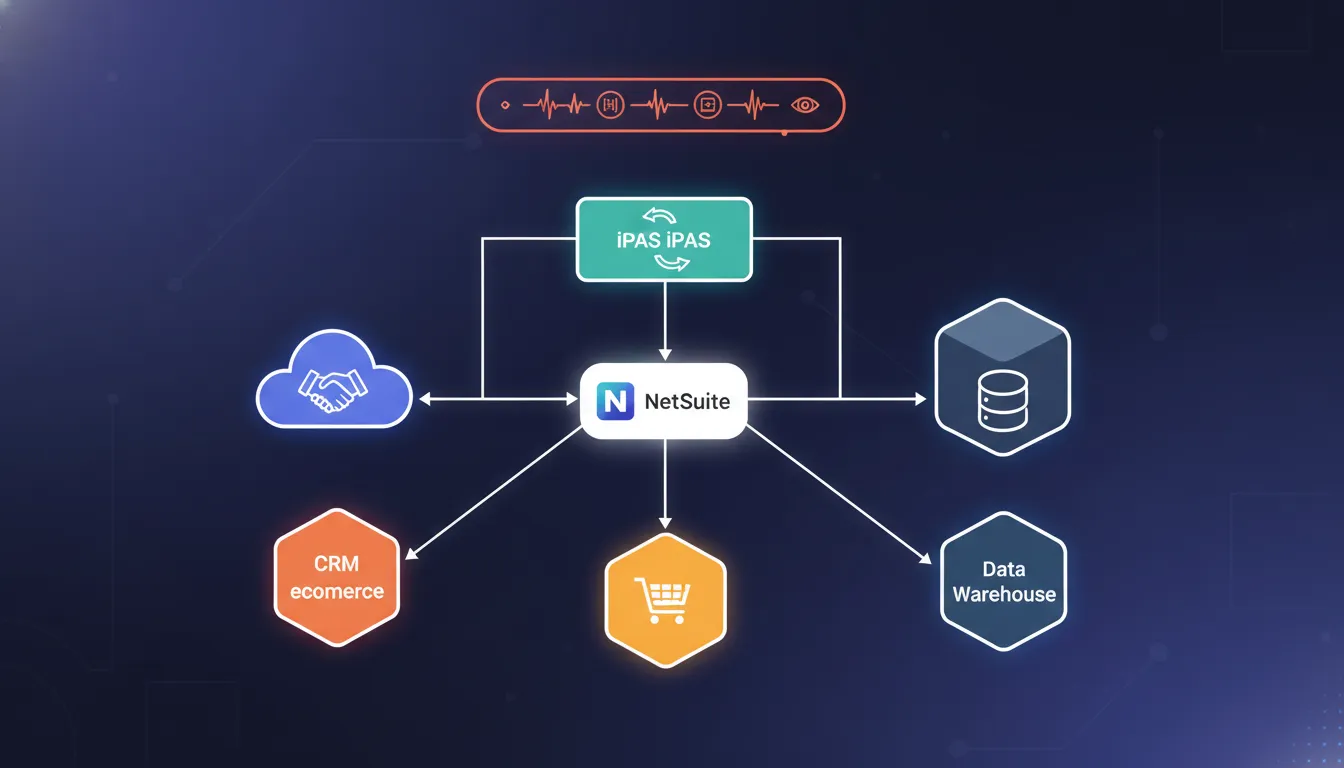
An iPaaS can help when NetSuite must stay aligned with several systems at once. Instead of placing many direct connections around the ERP, teams can manage mappings, retries, monitoring, and error handling in one integration layer. This model often fits CRM, ecommerce, finance, and operations workflows that cross system boundaries.
Streams Solutions often sees this decision become more important when NetSuite is not the only strategic platform. A company that also runs Salesforce, Microsoft Dynamics 365, Shopify, Boomi, Celigo, or Azure Data Factory needs an integration design that accounts for the entire operating model. For a deeper architecture perspective, read Streams Solutions’ NetSuite-centric integration framework.
How should you choose the right NetSuite API architecture?
Choose the architecture by matching each workflow to its volume, latency, ownership, error handling, and change frequency. Direct APIs fit contained workflows. iPaaS fits multi-system orchestration. Custom RESTlets fit specific business logic that standard endpoints cannot support cleanly.
The best architecture is the one that makes the integration predictable to operate. A working demo is not enough. IT leaders need to know how the connection behaves when a record fails validation, an endpoint slows down. A token expires, a user changes a field, or a business unit adds a new process.
| Integration option. | Best fit. | Watchouts. | IT leader decision point. |
|---|---|---|---|
| REST Web Services. | Standard record operations and modern application connections. | Coverage depends on supported records and permissions. | Use when the workflow fits supported records and needs a clean API pattern. |
| SuiteQL through REST. | Targeted reporting, analytics, and read-heavy data extraction. | Not a full write-back strategy. | Use when query speed and field selection matter more than transaction updates. |
| RESTlets. | Custom business logic inside NetSuite. | Requires code ownership, testing, monitoring, and security review. | Use when standard endpoints cannot express the required process. |
| SuiteTalk SOAP. | Legacy integrations already built around SOAP. | Can create long-term modernization debt. | Use selectively and document the modernization plan. |
| iPaaS orchestration. | Multi-system workflows across CRM, ecommerce, finance, and data platforms. | Requires strong mapping governance and platform ownership. | Use when retry logic, monitoring, and cross-system rules need one control layer. |
Map the business transaction before the endpoint
Before selecting an API channel, map the business transaction in plain operational terms. For example, an ecommerce order may need customer validation, inventory checks, sales order creation, payment status, fulfillment updates, tax handling, and a status update back to the storefront. A CRM opportunity may need account matching, item validation, contract data, and revenue recognition rules.
That mapping exposes the integration’s real requirements. It also prevents a common mistake: designing around one record update while ignoring the surrounding process that makes the update trustworthy.
Separate system-of-record decisions from transport decisions
An endpoint can move data, but it cannot decide which system is allowed to own that data. Decide whether NetSuite, Salesforce, Dynamics 365, Shopify, or another system owns customer fields, item data, pricing, order status, contract changes, and invoice state. Without ownership rules, an integration can create accurate-looking data that is still wrong.
This is where Streams Solutions’ tri-platform experience matters. Single-platform specialists may optimize only for their preferred system. Streams Solutions works across NetSuite, Dynamics 365, and Salesforce. Which helps the team design the integration around the business process instead of forcing every decision into one platform’s assumptions.
Security, authentication, and governance come first
Secure NetSuite API integration requires least-privilege roles, token-based authentication, credential rotation, logging, and clear approval paths for data changes. Treat API access as production access. Every integration account should have a defined owner, purpose, scope, and review cadence.
Security belongs in the first design session, not the final checklist. API credentials can create, update, and expose sensitive business data. That makes integration governance a finance, operations, and compliance issue as much as an IT issue.
NIST guidance on API protection emphasizes controls across the API lifecycle, including design, implementation, runtime protection, and monitoring. NetSuite teams should apply that same lifecycle mindset to integration planning.
Design roles around workflow needs
Do not give an integration account broad administrator access because it is convenient during development. Create roles that match the records and actions the workflow actually needs. If the ecommerce connector only needs to create sales orders and read item availability, it should not also be able to change unrelated financial configuration.
Control credentials and ownership
Token-based authentication, credential storage, rotation, and access reviews should be documented before go-live. The owner should know where credentials are stored, who can rotate them, what breaks if they expire, and how to revoke access if the integration is retired.
Monitor failures like business events
An API failure is not just a technical event. It may mean orders are not reaching fulfillment, invoices are not syncing, or reporting is showing stale data. Build alerts and exception queues that connect technical failures to the business process they affect.
What affects performance, scalability, and API limits?
Performance depends on record complexity, request volume, concurrency, search patterns, batching, retry design, and downstream system speed. A scalable NetSuite integration reduces unnecessary calls, batches where appropriate, handles limits gracefully, and makes exceptions visible before users lose trust.
Performance problems rarely come from one simple issue. They usually come from a design that makes too many calls, moves more data than needed. Retries without control, or treats every workflow as real time even when the business does not require it.
Design for the required timing
Not every data flow needs instant synchronization. Order capture, inventory availability, fraud review, customer updates, and executive reporting may all have different timing needs. Real-time connections should be reserved for workflows where delay creates operational risk. Near-real-time or scheduled sync may be safer and cheaper for other data flows.
Reduce unnecessary API calls
Pull only the fields needed for the process. Avoid full record syncs when a smaller payload will do. Use batching and change detection where appropriate. If the integration has to check the same value repeatedly, examine whether caching, event-based logic, or a different process design would reduce load.
Plan retry behavior carefully
Retries should protect the business, not create a storm of duplicate requests. Define which errors are retryable, how long to wait, how many attempts to allow, and when to move an item into human review. Idempotency is especially important for transactions where duplicate creates can cause financial or fulfillment issues.
Talk to Streams Solutions if your current NetSuite integration is slowing down, creating duplicates, or hiding exceptions from operations teams.
A practical roadmap for implementing NetSuite API integration
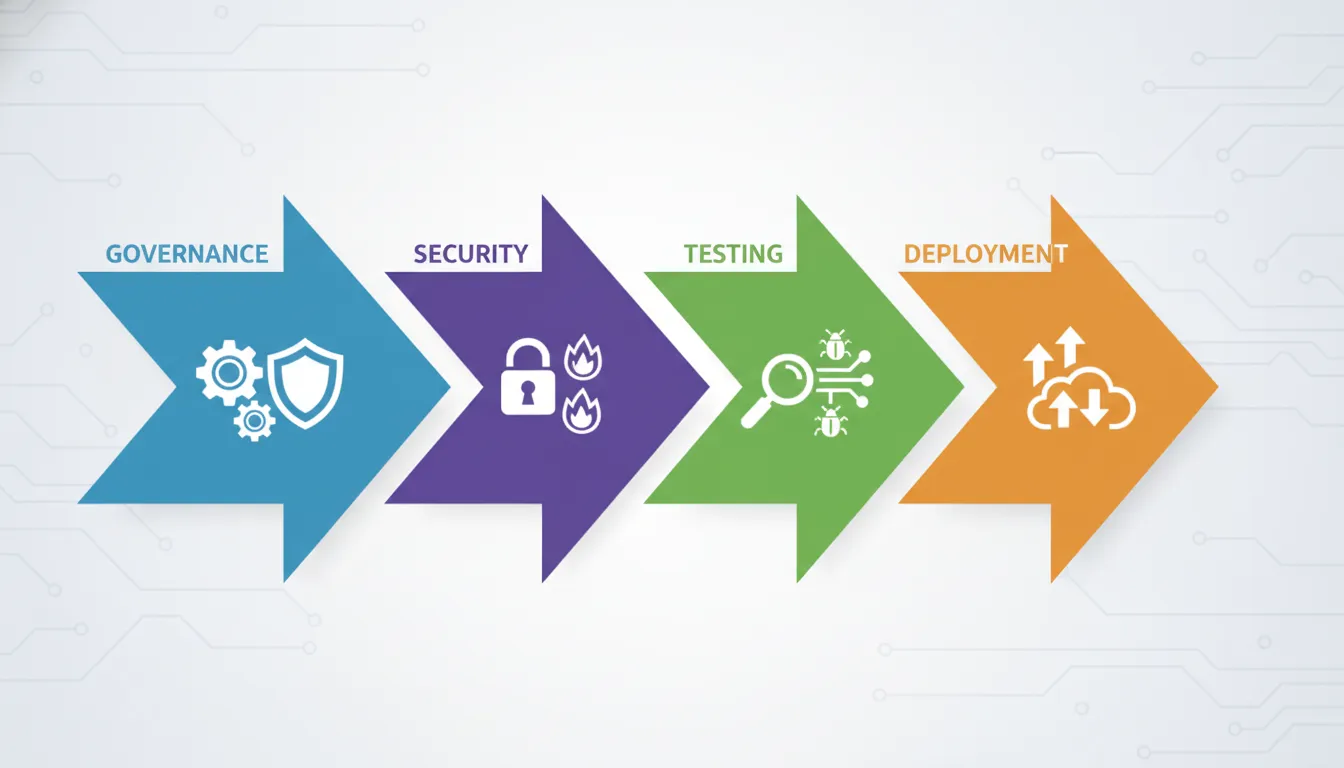
A practical roadmap moves from discovery to architecture, security, build, testing, deployment, and managed support. Each phase should produce an artifact: process map, data contract, access model, test plan, runbook, and ownership model. Those artifacts keep the integration maintainable.
A strong NetSuite integration project is not a coding sprint with a short requirements call. It is an implementation program that must connect business rules, data quality, user operations, and support ownership.
- Define the process. Identify the business workflow, source systems, target systems, users, timing, and exception path.
- Assign data ownership. Decide which platform owns each field and what happens when systems disagree.
- Select the connection model. Choose REST Web Services, SuiteQL, RESTlets, SuiteTalk SOAP, iPaaS, or a blended model.
- Design security. Create roles, credentials, token handling, logging, and access reviews.
- Build and test with real scenarios. Include happy paths, bad data, duplicate records, network failures, rate constraints, and rollback needs.
- Deploy with a runbook. Document monitoring, escalation, support owners, and change control.
- Optimize after go-live. Review volume, exceptions, user feedback, and new business requirements.
Use accelerators where they reduce risk
Streams Solutions supports proprietary accelerator development and custom solutions as part of its service model. Relevant examples include Salesforce-NetSuite, Shopify-NetSuite, and HR payroll journal entry accelerators. The value is not that every project becomes plug-and-play. The value is that proven patterns can reduce repetitive build work and focus attention on the customer’s unique data rules.
For example, a Salesforce-NetSuite workflow may need account matching, quote-to-order logic, product mapping, customer hierarchy rules, and status updates back to sales users. A Shopify-NetSuite workflow may need item availability, order creation, tax handling, fulfillment updates, and exception handling for failed transactions. Accelerators can help frame those decisions faster when they are applied with proper discovery.
Where does NetSuite API integration create the most value?
NetSuite API integration creates the most value where manual re-entry, delayed data, and disconnected approvals slow revenue or finance operations. Common areas include CRM-to-ERP, ecommerce-to-ERP, payroll journals, inventory visibility, billing automation, data warehousing, and executive reporting.
The business case improves when the integration removes a repeated operational bottleneck. That might be a sales team waiting for ERP status, a finance team correcting duplicate records. An ecommerce team reconciling fulfillment data, or executives making decisions from stale reports.
CRM and revenue operations
Salesforce or Dynamics 365 may own lead, opportunity, quote, or customer engagement data while NetSuite owns order, invoice, and financial data. A well-designed integration reduces manual handoffs and gives sales, finance, and operations a more consistent view of the customer lifecycle. Streams Solutions’ work across Salesforce, Dynamics 365, and NetSuite is useful because these workflows often involve all three perspectives.
Ecommerce and fulfillment
Shopify and other ecommerce systems often need product, inventory, order, payment, tax, and fulfillment data to align with NetSuite. When those flows are manual, customer experience suffers quickly. The Shopify-NetSuite Accelerator page explains how Streams Solutions approaches ecommerce integration patterns.
Finance, payroll, and reporting
Finance teams need integrations that protect the general ledger, not just move records. Payroll journal entries, close processes, revenue reports, and data warehouse feeds must include controls, approvals, and traceability. Streams Solutions’ Payroll JE Accelerator is one example of a NetSuite-focused automation pattern built around finance team pain points.
What should you look for in a NetSuite integration partner?
A strong NetSuite integration partner should understand NetSuite, the connected platforms, data governance, security, testing, and post-go-live support. Look for a team that can explain tradeoffs across REST, RESTlets, SuiteQL, iPaaS, CRM, ecommerce, and finance workflows without pushing one default pattern.
Many firms can connect two systems. Fewer can explain how the connection should evolve when the business adds a new sales process, changes ecommerce operations, or introduces another finance system. That difference matters for IT leaders who need fewer fragile scripts and more durable architecture.
Ask how they handle multi-platform decisions
Streams Solutions differentiates through tri-platform expertise across Oracle NetSuite, Microsoft Dynamics 365, and Salesforce. That matters because many integration projects cross platform boundaries. If a partner only understands one system, they may design around that system at the expense of the full process.
Competitors such as CrossCountry and Plative are credible consultancies in ERP and CRM transformation. The practical question for a buyer is whether the partner can translate strategy into a maintainable NetSuite-centered integration for the specific stack in front of them. Streams Solutions’ combination of technical advisory, implementation, innovation, and managed support is built for that full lifecycle.
Ask how they support the integration after launch
Integration success is proven after go-live. Ask who monitors failures, who owns field mapping changes, how new workflows are requested. How credentials are rotated, and how the support team distinguishes data issues from platform issues. A clean launch without an operating model still leaves the business exposed.
Streams Solutions pairs implementation work with managed support, which is important for integrations that will change as the business changes. The right partner should leave your team with documentation, monitoring, runbooks, and a clear path for future improvements.
Frequently asked questions about NetSuite API integration
IT leaders usually ask whether NetSuite has APIs, which API is best, and how authentication works. They also ask whether limits apply and how NetSuite connects to ecommerce or CRM systems. The best answer depends on the workflow, data ownership, and support model.
Does NetSuite have APIs?
Yes. NetSuite supports multiple integration options, including REST Web Services, SuiteTalk SOAP, RESTlets, and SuiteQL access through REST. Oracle’s NetSuite documentation describes SuiteCloud tools for building integrations with cloud and on-premises applications.
Is REST better than RESTlets for NetSuite integration?
REST Web Services are usually better for standard record operations because they follow a standard API pattern. RESTlets are better when the workflow needs custom NetSuite logic that standard endpoints cannot support cleanly. Many mature environments use both, but each custom RESTlet should have clear ownership and testing.
How does NetSuite API authentication work?
Authentication depends on the integration method and account configuration, but IT leaders should plan around least-privilege roles, secure token handling, credential rotation, and access reviews. The integration account should have only the permissions required for the workflow it supports.
Can NetSuite connect to Salesforce, Dynamics 365, and Shopify?
Yes. NetSuite can be integrated with Salesforce, Microsoft Dynamics 365, Shopify, and other systems through APIs, middleware, or custom integration patterns. The right design depends on which system owns each record, how fast data must move, and how exceptions will be handled.
When should a company use an iPaaS for NetSuite?
An iPaaS is useful when NetSuite must coordinate with several systems and the business needs centralized mapping, retry logic, monitoring, and error handling. It may be less necessary for a narrow, stable, one-system workflow that standard APIs can support directly.
Ready to plan a scalable NetSuite integration?
A scalable NetSuite integration starts with business process clarity, data ownership, secure access, and a support model. Streams Solutions can help IT leaders plan, build, and support NetSuite-centered integrations across ERP, CRM, ecommerce, finance, and data workflows.
NetSuite API integration is not just an IT connection. It is part of the operating architecture for revenue, finance, ecommerce, and reporting. The right design reduces manual work, improves trust in data, and gives the business a safer foundation for growth.
Schedule a free consultation with Streams Solutions to review your NetSuite integration roadmap, identify risk points, and choose the architecture that fits your business systems.