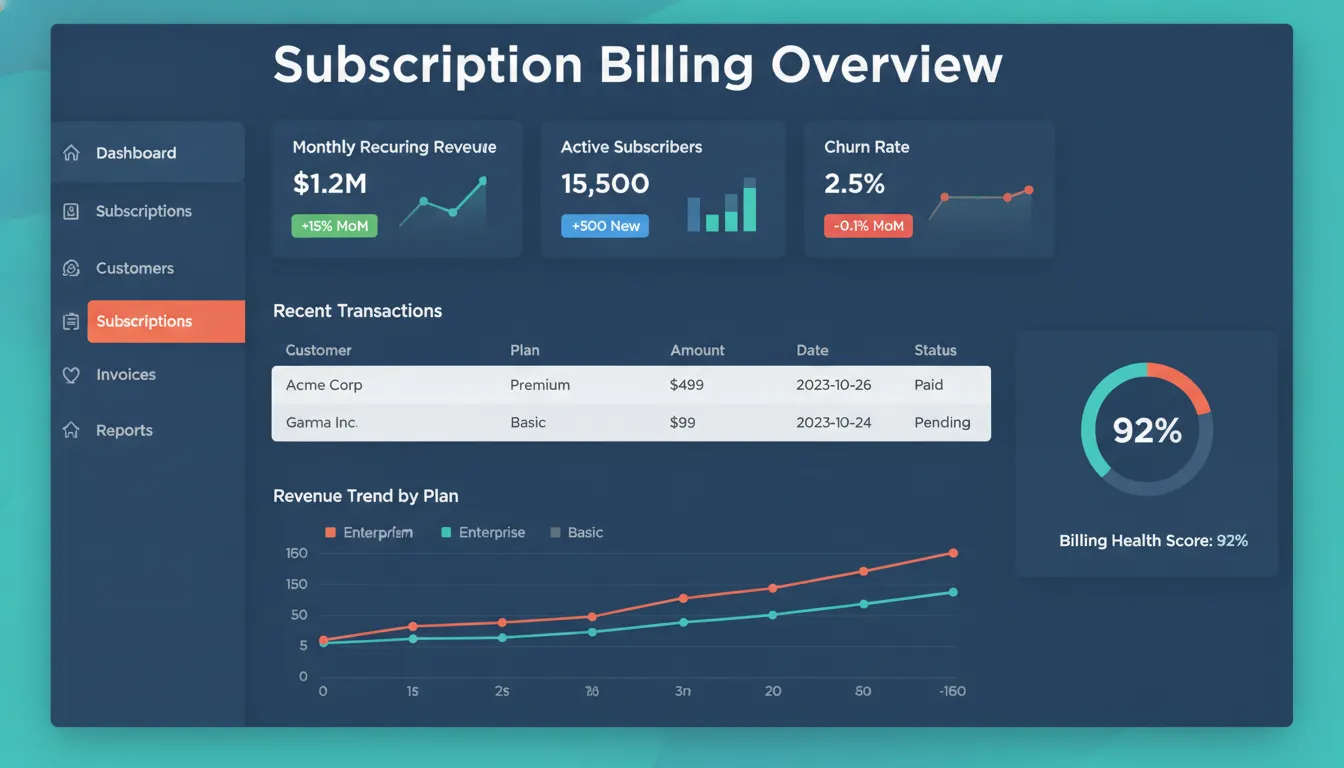
Subscription growth can expose every weak point in a finance operation. Contract amendments, usage charges, prorations, renewals, and revenue schedules create an exception-heavy close when they live across spreadsheets and disconnected systems. A well-designed NetSuite SuiteBilling implementation turns those moving parts into governed billing workflows that finance can test, control, and scale.
A NetSuite SuiteBilling implementation helps SaaS companies automate complex billing tasks like subscription changes and usage-based fees. This system allows you to manage the entire subscription lifecycle by consolidating charges into one invoice and auto-generating renewals to keep customers. According to NetSuite, the platform manages proration while reducing errors from manual work. By moving away from spreadsheets, your finance team can handle more volume without adding new staff. The implementation also helps you follow revenue recognition rules for better compliance. This means your business can scale faster and provide better financial visibility. Having all your data in one place makes it easy to track performance and adjust your strategies as you grow.
Setting up this system requires a clear plan for your pricing and customer needs. You must find the parts of your process that need help to avoid mistakes. Understanding What a NetSuite SuiteBilling implementation must solve is the best way to start. The path begins with
What a NetSuite SuiteBilling implementation must solve
For a SaaS finance team, implementation quality is measured by control, not simply by whether invoices can be generated. SuiteBilling must translate contract terms into repeatable rating, proration, renewal, and amendment rules while preserving an auditable connection between the customer agreement, invoice, and revenue schedule. The result should reduce exception handling at close and give finance leaders a reliable view of recurring revenue operations.
Managing the full subscription lifecycle
A top goal for any team is to track the full life of a subscription. SuiteBilling handles this from start to finish. It lets you change plans or add new items at any time. The system automates tasks like proration and renewal alerts. This helps keep customers happy and helps you keep them for longer. Putting all charges on one invoice makes the process easier for the client and the firm. Managing these steps in one place keeps data clean and cuts down on lost revenue.
When you plan your project, you must look at how users interact with your service. Good NetSuite implementation best practices involve matching the tool to your unique business needs. You may need to tailor your steps to fit local needs and resource limits. According to the National Center for Biotechnology Information, you must adapt your plan to the specific site to overcome local hurdles. Gathering feedback from all levels of the team helps the project stay on track. This ensures that the new system solves real problems for the people who use it every day.
Reducing manual billing errors
Manual work often leads to mistakes. As a company adds more clients, the total bill count goes up. This creates more work for the accounts receivable team. Keeping data in sheets makes it hard to get a real-time view of results. Using software for this work removes the risk of human error in invoicing. Keeping all data in one place improves quality and gives a better financial view to the whole firm. It also keeps all pricing and client data in one safe spot.
SuiteBilling removes the need for manual data entry. It uses a strong rating engine to make sure each bill is right. This saves time and makes sure you get paid the right amount. Reducing the days it takes to send a bill is a huge win for cash flow. Most teams see fewer errors and faster results once they switch. Firms no longer have to hire more staff just to keep up with the rising volume of bills. This makes the business stay strong as it grows.
Structuring complex pricing models
Many SaaS firms use more than one way to charge. You might use flat rates, tiered plans, or usage-based pricing. These models can make billing hard to do by hand. A NetSuite SuiteBilling implementation gives you the NetSuite SuiteBilling capabilities to handle these complex setups. It supports volume discounts and customer-specific rates with ease. Giving these options helps you stay on top in a fast-moving market.
Variable rates need extra care to make sure the math is correct. This is true for plans that change based on how much a user consumes. Trial offers and promo codes add even more layers to the work. Using an automated tool lets you track start and end dates for every deal. This makes sure that every client gets the right price at the right time. Proper setup in the early phase helps avoid billing disputes later. It ensures that the marketing and sales teams can launch new offers without breaking the billing cycle.
How should SaaS finance teams plan the implementation?
SaaS finance teams must move from manual billing to automated systems to grow. This shift is more than a software update. It is a change in how your business works. Proper implementation plans involve picking ways that help your team adopt new habits. You should start with a clear plan to handle local barriers and resource needs. A good roadmap ensures that your NetSuite SuiteBilling implementation meets your long-term goals without big delays.
Build the right project team
Success starts with the people in the room. You need to involve leaders from finance, sales, and IT early in the process. These staff members help find problems before they start. When you engage multiple levels of staff, you can solve problems as they happen. This joint approach is part of the StreamsWay plan. It focuses on trust, collaboration, communication, client objectives, and value to keep the project on track. By working together, you can ensure the system works for everyone who uses it.
Teams often find that manual work in spreadsheets slows down growth. These old tools make it hard for leaders to see money data in real time. Moving your data from sheets to a real system improves data quality and view. Switching to an automated system fixes this by putting all data in one place. It helps your team focus on high-value tasks instead of fixing errors. When you plan your team, include people who know your current billing pain points.
Find pricing and billing needs
SaaS companies often have complex pricing models. You might use flat rates, tiers, or usage-based billing. You must find these specific needs early in the set up phase. For example, some plans use variable rates that change every month. These models need precise rules to ensure every customer gets a correct bill. Following NetSuite implementation best practices helps you map these rules to the software correctly.
You should also think about how your billing affects other areas. New billing models often need changes to sales plans and marketing. For instance, recurring billing can increase the total number of invoices. This change adds more work for your accounts receivable staff. It can lead to a need for more staff if you do not automate. By planning for these shifts now, you can avoid surprises after launch. A full ERP implementation roadmap can help you see how these changes fit into your whole business.
- Engage your stakeholders. Talk to leaders from different teams to find their needs and goals. This step helps everyone agree on what the new system should do.
- Enable the core features. You must turn on the right tools in your NetSuite account. Go to Setup, then Company, and pick Enable Features to start the process.
- Design your pricing models. Map out your current and future rates. This includes flat fees, tiered costs, and any sales discounts you offer.
- Map your data. Ensure your customer and pricing data is clean and ready. Moving good data into the new system prevents billing errors later.
- Test the system. Run tests to see if the bills are right. Check how the software handles usage fees and renewal dates.
- Train your staff. Show your team how to use the new tools. Good training helps people feel confident using the software on day one.
- Go live and monitor. Launch the system and watch for any issues. Use feedback from your team to make small fixes as needed.
Track performance benchmarks
Your work does not end on the day you go live. You must track how well the system works. Good plans include giving quick feedback on your progress. You can use benchmarks to see if the system saves you time or reduces errors. For example, some firms reduce the time it takes to send bills from seven days to just two. Tracking these wins shows the value of your hard work. It also helps you stay on track with your performance goals.
As your SaaS business grows, your billing needs will change. Regular check-ins help you adjust your pricing or billing rules. Using special tools can also speed up your work. Some tools can cut implementation time by 40% to 60%. This speed lets you get back to growing your business faster while keeping your data safe and accurate. By staying focused on your goals, you can ensure long-term success with your new system.

Configuration decisions that shape billing outcomes
Configuration choices become operating policy. A NetSuite SuiteBilling implementation starts with decisions about pricing, charge frequency, amendments, renewals, and revenue treatment. Each choice affects invoice accuracy, cash flow visibility, and the number of exceptions finance must resolve after launch. Aligning those decisions with approved contracts and sales processes prevents the system from becoming another source of manual work.
Selecting core pricing models
One of the first steps is to pick a pricing model. You can use flat rates, tiered costs, or usage-based pricing. Flat rates are simple, but tiered models give you more ways to sell. Models based on usage charge users for exactly what they buy each month. These NetSuite SuiteBilling capabilities help you stay ready as your market changes.
Changing price plans often need extra care to keep bills right. In a SaaS model, tiered pricing adds a layer of math that can lead to errors. You need a clear plan to ensure every charge matches your contracts. Experts suggest that implementation plans must address local site barriers and resource limits to succeed. This planning phase is when you decide how to handle complex price rules.
Your choice of model also changes how you market your goods. High-volume deals may need custom rates that do not fit a standard plan. Self-run systems keep these rates in one place so your sales team stays on track. This stops the data silos that often slow down fast-growing firms. Using one source of truth keeps your pricing clear for both staff and buyers.
Managing subscription changes
Subscription plans are rarely static. Users may want to add seats or change their tier mid-month. Your system must handle these shifts with proration. This means the system finds the exact cost for the days used. Proper setup ensures that these changes show up on a single, clear bill. This reduces the time your staff spends on fixing billing disputes.
Automatic renewals also help you keep more customers over time. When the system makes renewal bills on its own, it lowers the risk of lost revenue. Grouping many charges into one bill makes it easier for clients to pay you. This simple change can make your brand look more sharp. It also frees up your team to focus on high-value tasks instead of data entry.
| Decision Area | Option A: Fixed | Option B: Dynamic | Business Impact |
|---|---|---|---|
| Pricing Type | Flat Monthly Fee | Usage or Tiered | Scales with value |
| Billing Cycle | Annual Upfront | Monthly Recurring | Affects cash flow |
| Change Rules | No Mid-Term Shifts | Full Proration | Improves user trust |
| Renewals | Manual Outreach | Auto-Generated | Boosts retention |
| Revenue Rule | Point of Sale | Over Time (SaaS) | Ensures compliance |
Automating revenue recognition
Linking your billing to your books is a vital step. Revenue tracking must follow strict rules to stay right. When you use SuiteBilling, the system handles these rules as you bill. This stops your team from having to do complex math by hand. It also makes sure your reports are ready for tax time or audits.
Many firms still use spreadsheets to track their bills. This makes it very hard for leaders to see a real-time view of the business. Manual work leads to small errors that grow over time. Moving to an automated path keeps your data clean and easy to read. You get a better view of your profit and loss without the wait. These NetSuite implementation best practices help you build a solid base for future growth.
How can you reduce SuiteBilling migration risk?
Moving your billing to a new system is a big job. A NetSuite SuiteBilling implementation can change how your whole team works. To succeed, you must find and stop risks before they cause big problems.
Most risks come from poor data, complex plans, or a lack of staff buy-in. You should focus on these areas to keep your move on track and on time. A smart plan helps you avoid the traps of manual billing and poor data views.
Cleanse your data before the move
Old data is often messy or wrong. If you move bad data, your new system will not work well. You should check your customer lists, contracts, and open invoices first.
Look for extra files or missing terms in your records. Make sure every piece of info is clear and up to date. This step keeps your past data safe and useful for years to come. It also protects your cash flow during the switch.
A clean start helps you avoid billing errors after you go live. Using a Salesforce-NetSuite Accelerator can help you link data much faster. It can also cut the time you spend on manual setup tasks by a large amount.
Good data is the base for all your finance reports and growth. If your data is right, your team can trust the numbers they see in the system every day.
Map complex pricing models early
Pricing for subscriptions can be hard to track by hand. You might use flat rates, tiers, or usage-based costs in your business. You must map these models into the software early in the NetSuite SuiteBilling implementation phase.
This ensures your customers get the right bills at the right time. It also helps you manage revenue recognition with the latest rules. You can then spend less time fixing bills and more time on plans.
Failure to map rates leads to more manual work and costly mistakes. Large billing volumes can also stress your finance staff as you grow. Proper planning lets you tailor plans to your local needs and solve resource gaps.
This makes the switch much smoother for your whole finance team. When you map models well, you can automate more of your monthly billing cycle and keep more users.
Test usage and contract data
Moving usage data is a high-risk task. This data changes often and needs exact rating models. You should test how the system handles old usage and committed items.
Check that proration and renewals work as you expect. This testing phase helps you find bugs before your customers see them. It keeps your billing cycle short and exact for your users.
Good testing also proves that your new system is ready for real work. You should run side tests with your old tools to check the math. This step builds trust in the new platform.
It shows that your automation will lead to fewer errors and better data quality. With a solid test plan, you can go live with peace of mind and clear goals.
Engage staff for better adoption
A new tool only works if your people use it. You should involve your team in the change process from the start. This helps them learn the new ways to act and think about their daily work.
Getting staff input early stops them from feeling left out or confused by the new tool. It builds trust in the “StreamsWay” of doing things across your firm.
Set clear goals and track your progress along the way. Frequent feedback helps you fix small issues before they grow into big blocks.
When your team trusts the new system, they can focus on high-value tasks like sales. This shift leads to better business results and less risk for your firm. You can then use your data to grow your regular revenue and win more deals.
What should a SuiteBilling test plan include?
A strong test plan ensures that your pricing models and billing rules work as planned. It must catch errors in your contract terms. This focus is a key part of any NetSuite SuiteBilling implementation strategy. Testing helps you find and fix issues before they impact your cash flow or customer trust. It also lets your team get used to the new system before the go-live date. A well-run test phase also builds confidence across the entire finance department.
Checking core billing logic
Your plan should start with your pricing models. SuiteBilling supports flat, tiered, and usage-based rates. You need to test each one to ensure they calculate the correct amounts. Verify all volume discounts. These flexible options let you generate accurate invoices for complex rating scenarios. Testing these models early helps prevent billing disputes later on. It is an essential step in your NetSuite implementation best practices checklist.
If you use usage-based billing, testing must cover data flows and rating. Verify that the system pulls in usage records correctly and applies the right charges. High volumes of recurring bills can increase the work for your accounts team. Testing ensures that automation actually reduces this load by removing manual entry. You should also verify that committed amounts are tracked and billed correctly against actual use.
Testing the subscription lifecycle
The system manages the full subscription lifecycle, including changes and renewals. Your test plan must include common changes like upgrades, downgrades, and cancellations. Ensure that the system handles proration correctly when a customer changes their plan mid-month. You should also check that renewal invoices generate on time to help keep customers. This automation is a core part of modern billing tools for growing firms.
Changes and renewals are often where manual errors occur. Use the testing phase to confirm that combined charges look right on a single invoice. Testing these events helps you build a reliable way to manage long-term customer links. You must also account for local barriers and resource limits that might affect how your team uses the new tools. As noted by the National Institutes of Health, tailoring your plan to these factors is vital for success.
Confirming financial handoffs
The test plan must track how data moves from billing to your general ledger. Verify that the software records revenue in line with the latest rules. This check ensures your financial reports are accurate and compliant. Automating this process improves financial insight by keeping critical data in one place. Engaging stakeholders in this review helps catch errors in the revenue handoff.
Finally, test your integrations and reports. If you connect your billing tool to a CRM or an external usage tool, check that the data syncs without loss. Review your cutover reconciliation plan to ensure that opening balances and active subscriptions move over correctly. This final step in your ERP implementation roadmap protects your data quality. A thorough test plan gives you the data needed to provide timely feedback on your progress.
From cutover to post-launch optimization
The final steps of a NetSuite SuiteBilling implementation are just as important as the start. You must move from setup to daily use without losing data or slowing down your team. This phase needs a clear plan to check that your billing data matches your old system. It also sets the stage for how you will manage the tool over time.
Managing the cutover phase
A smooth cutover starts with data checks. You need to make sure every subscription and price point moves over right. This keeps your billing right from the first day you go live. Your team should look at total balances and each line item to find any gaps. This step helps your finance team feel sure about the new data.
During this time, you must also set up a plan to watch for errors. A good ERP implementation roadmap includes a period of close watching right after launch. You should track if invoices go out on time and if the math is right. This early work stops small mistakes from becoming big problems for your customers. It also ensures that your staff can trust the automated system for their daily tasks.
Support and rules after launch
Once you are live, your team needs a way to get help. Successful software use depends on constant problem-solving where users stay active to fix issues. You should set up a desk to handle questions from staff about the new billing rules. This keeps work moving and helps your team learn the system faster. Providing this help early on reduces the stress of using a new platform.
Rules are also key to keeping the system clean. You need a plan for who can change prices or add new billing plans. Without these rules, your data can become messy over time. At Streams Solutions, we use our Managed Support tier to help you manage these changes. We work with you to ensure your system stays aligned with your business goals. This ongoing care helps you avoid common pitfalls as your needs shift.
Long-term billing gains
The work does not end once the system is stable. You should often check how well your subscriptions are doing. This includes looking at customer churn and how fast you get paid. Using NetSuite implementation best practices, you can find ways to make your billing even better. You might find that some pricing models work better than others as your market changes.
Finally, keep a list of things you want to improve later. This list helps you rank new features as your business grows. You should review this list every few months with your tech team. This keeps your billing system useful for a long time. It also helps you get the most value from your tech spend. By focusing on constant growth, you turn your billing tool into a long-term asset.
When should you involve a NetSuite implementation partner?
Many SaaS firms find that self-guided setups for billing tools often lead to data silos. SaaS models move fast, so you need a system that grows as you grow. A partner helps you choose the right tools for your specific needs. They look at your current systems to find gaps in your data. This planning stage is vital for a strong NetSuite SuiteBilling implementation. It ensures that your new billing platform works well with your sales and finance teams from day one. Involving an expert early helps you avoid common traps in data moves and system logic.
Solving complex pricing challenges
Subscription models often use tiered or usage-based pricing. These models make billing more complex because rates change based on how much a client uses. For instance, volume-based rates need extra work to ensure every client gets the right price. A partner helps you map these complex plans into your ERP system. They help you use NetSuite SuiteBilling capabilities to automate these tasks. This reduces manual work and prevents errors that can hurt your revenue. Automated tools also keep your pricing data in one place. This improves how you see your cash flow and helps your team make better choices.
Navigating the implementation lifecycle
A successful setup starts with a clear plan. You must find local barriers and resource limits before you begin. This helps you tailor your plan to fit your actual work setting. Research shows that implementation requires tailoring strategies to match where the practice will be used. A partner guides you through this process. They help you enable features through the Transactions subtab in your system. This step-by-step approach keeps your project on track and helps you meet your goals. It also involves changing how your team thinks about their daily tasks. Engaging people early helps ensure everyone is ready for the new system.
Driving value with the StreamsWay approach
Streams Solutions uses a four-tier model to guide your digital shift. This includes technical advice, setup, new ideas, and support. We use the StreamsWay to focus on trust and your specific business goals. Our team uses tools that can cut setup time by 40-60%. We also work with your team to solve problems as they arise. This focus on clear talk ensures that you get the most out of your tools. Following NetSuite implementation best practices helps you avoid surprises during the launch. By working with a partner who knows your field, you can turn a complex project into a steady growth engine.
Frequently Asked Questions
How do you enable SuiteBilling features in NetSuite?
To turn on SuiteBilling, you must have the right role access. Log in to your account and go to Setup, then Company, and click on Enable Features. Open the Transactions tab and find the Billing area. There, you can select the tools you want to use. As stated by Streams Solutions, this step is the first move toward a better billing system. It helps your team handle more complex tasks later.
How does SuiteBilling handle usage-based and subscription billing?
This tool lets you manage complex billing models in one place. It handles tiered rates, flat fees, and usage fees with ease. The system also tracks usage and manages the full life of a subscription. As noted by NetSuite, it can prorate bills and combine many charges on one invoice. This helps your team stay accurate without doing the work by hand.
What are the common challenges in a NetSuite SuiteBilling implementation?
Teams often struggle with poor data and complex price rules. Moving from old files can lead to errors if the data is not clean. NetSuite experts say manual tasks make it hard to see real-time results. High bill counts can also put stress on your staff. Planning for these issues early helps ensure your new system works well for your firm.
Is SuiteBilling actually making billing easier in NetSuite?
Yes, it automates many tasks that once took days. Many firms see a big drop in the time it takes to send bills. For instance, some users cut their billing cycle from seven days down to just two. It also helps cut errors by removing the need to type in data. This leads to faster payments and better cash flow for your business.
Ready to simplify your SaaS billing and improve your cash flow?
If you do not fix your billing, your team will keep losing time to manual tasks and errors that hurt your cash flow and growth. Starting your project today helps you gain more control over your sales data and lets you plan for the future with clear and honest facts. Our team will guide you through each step of the way to ensure you see great results for your whole company in a short time.
Ready to schedule? Schedule a free consultation to see how we help with NetSuite SuiteBilling. Our team is here right now to help you get your finance team back on the right track today.